Corporate Logo

Recent Posts

  • 3D Pumpkin Sculptures – Halloween 2017
  • DIY: How to make your own Smartphone Tripod Mount (iPhone or Android)
  • DIY: How to make your own Smartphone Stand (Samsung Galaxy Note 3) – It’s as easy as 1-2-3
  • DIY Tutorial – How to modify and use an Egg Timer for Time-Lapse Videos and Panoramic Photographs
  • DIY Tutorial: How to make a Mini Digital Boombox (sans speakers) for cheap – using a Lepai Amplifier & a Behringer DAC

Categories

  • About Us (1)
  • Audio (3)
  • Fun Stuff (3)
  • Photography (2)

About Me:


I’m an IT Consultant, specializing in:

  • Business Analysis,
  • Business Systems Analysis,
  • Business Intelligence Analysis,
  • Enterprise Reporting & Automation,
  • Business Process Improvement,
  • Microsoft Office Training & Automation,
  • Sage ACT! (CRM) Implmentation & Training,
  • CMS-Based Web Development,
  • Android Automation

You could also say that I’m an Audiophile, with a special interest in tweaking and collecting Vintage Audio. I also enjoy building things myself.

Some of my other interests are:

  • Photography
  • Technology (Linux, Android etc.)
Recent Technology Posts:

No posts found.

Recent Photography Posts:

DIY: How to make your own Smartphone Tripod Mount (iPhone or Android)

DIY Tutorial – How to modify and use an Egg Timer for Time-Lapse Videos and Panoramic Photographs

Recent Audio Posts:

DIY Tutorial: How to make a Mini Digital Boombox (sans speakers) for cheap – using a Lepai Amplifier & a Behringer DAC

Tutorial: How to setup an Awesome-Sounding, More-Portable, Open Boombox using a Raspberry Pi and Squeezeplug (v2)

Tutorial: How to setup an Awesome-Sounding, Semi-Portable, Open Boombox using a Raspberry Pi and Squeezeplug (v1)

Some Fun Stuff :-)

3D Pumpkin Sculptures – Halloween 2017

DIY: How to make your own Smartphone Stand (Samsung Galaxy Note 3) – It’s as easy as 1-2-3

Stress Busters – 80’s Retro Games

  • Home
  • Prices and Order Information
  • Photo Gallery
  • Products
    • Line 2CRM Line Preamplifier
    • Phono 3C Phono Preamplifier
    • Super Stealth+ Monobloc Power Amplifier
  • Reviews
  • Contact
  • User Manuals
  • Customer Feedback
Home » Archive by category "Photography"

DIY: How to make your own Smartphone Tripod Mount (iPhone or Android)

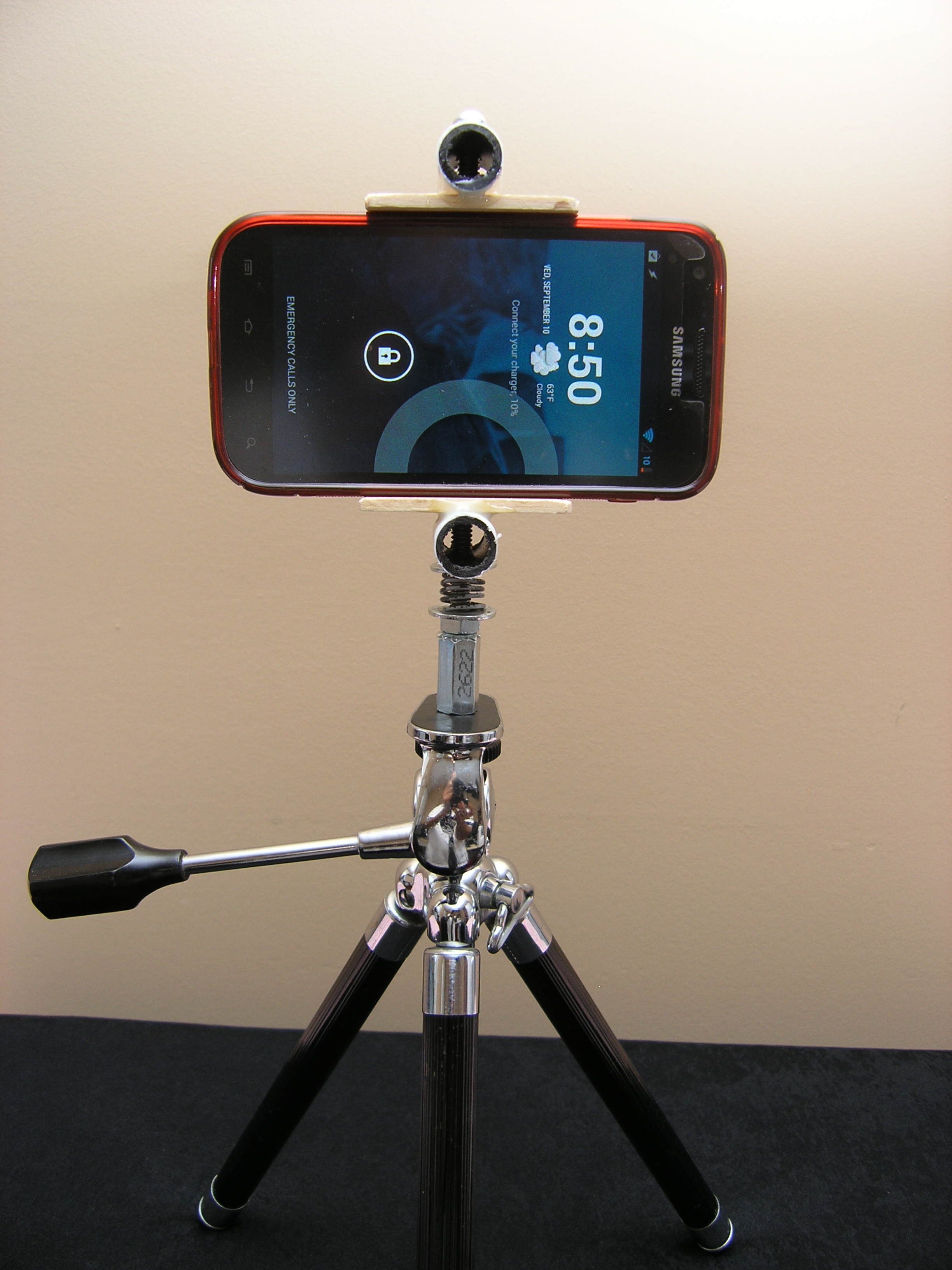
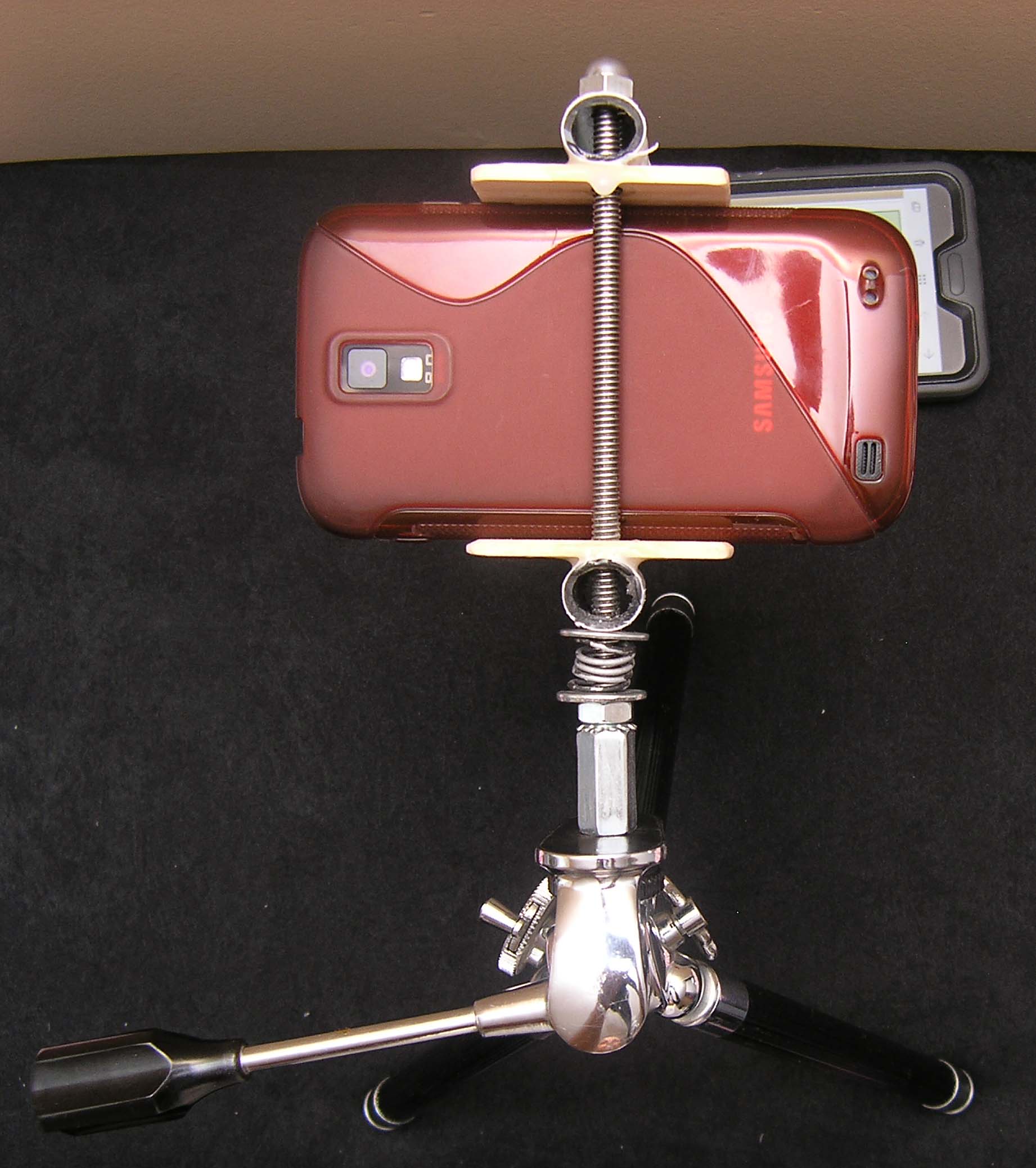
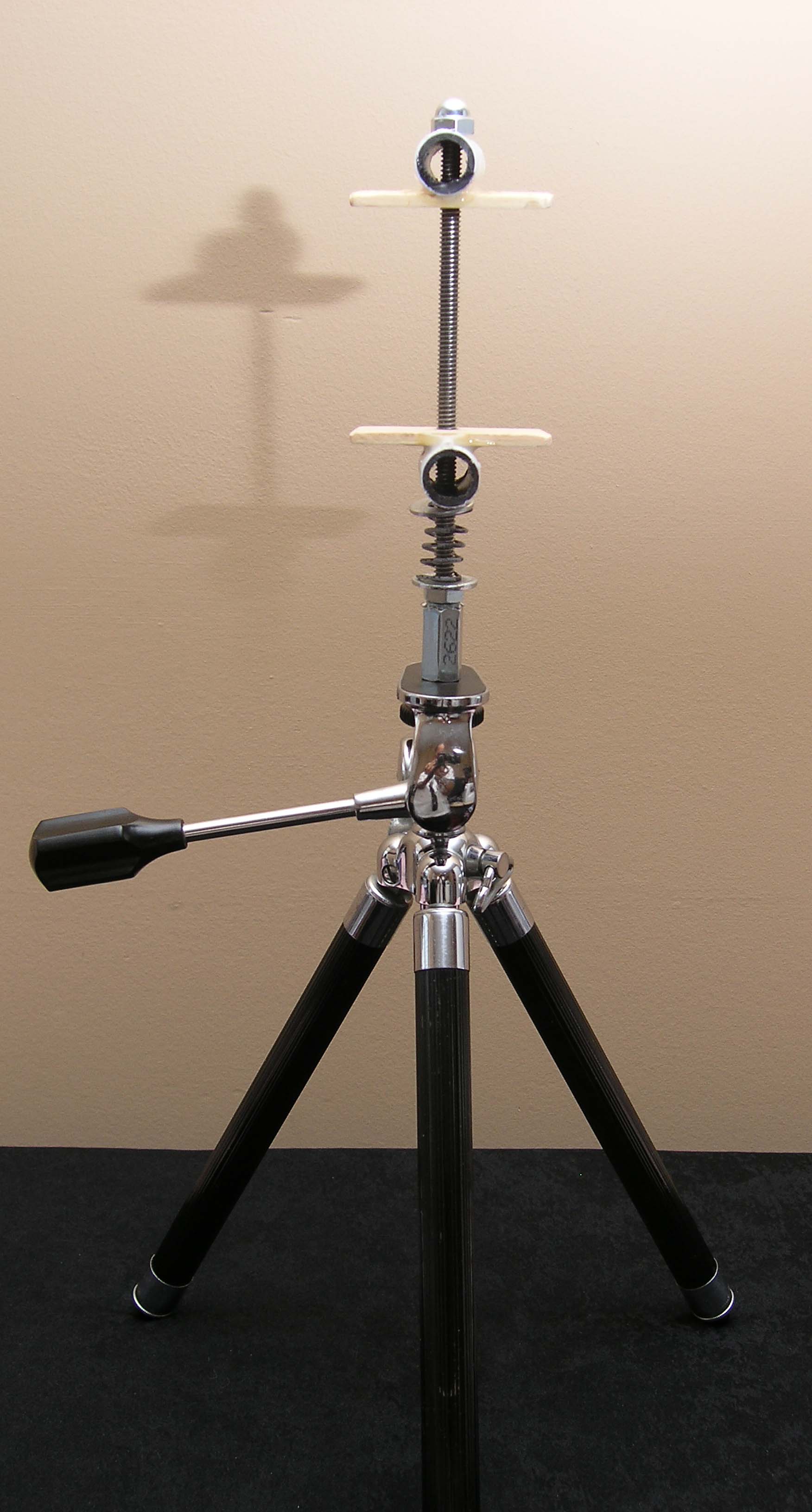
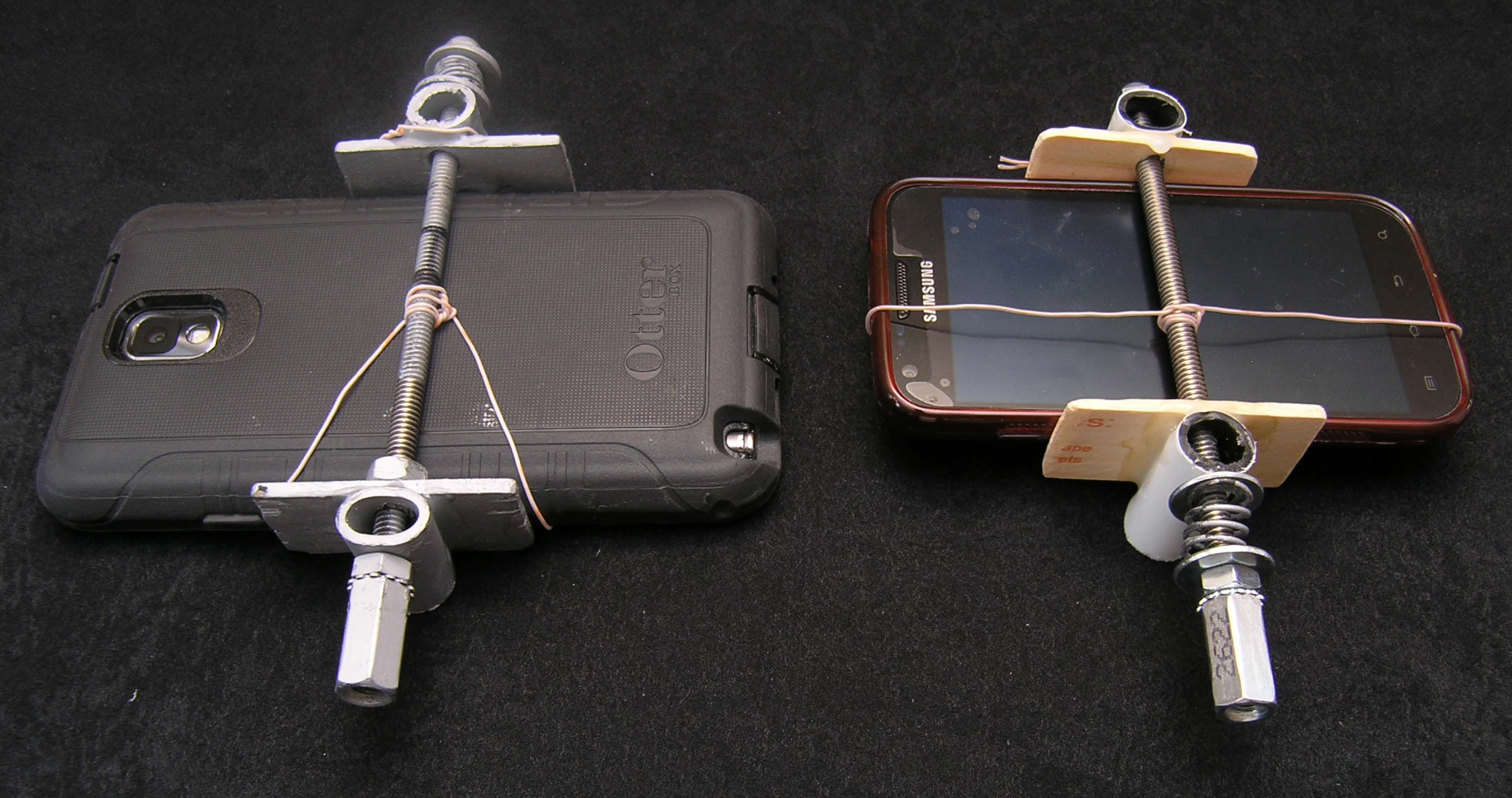
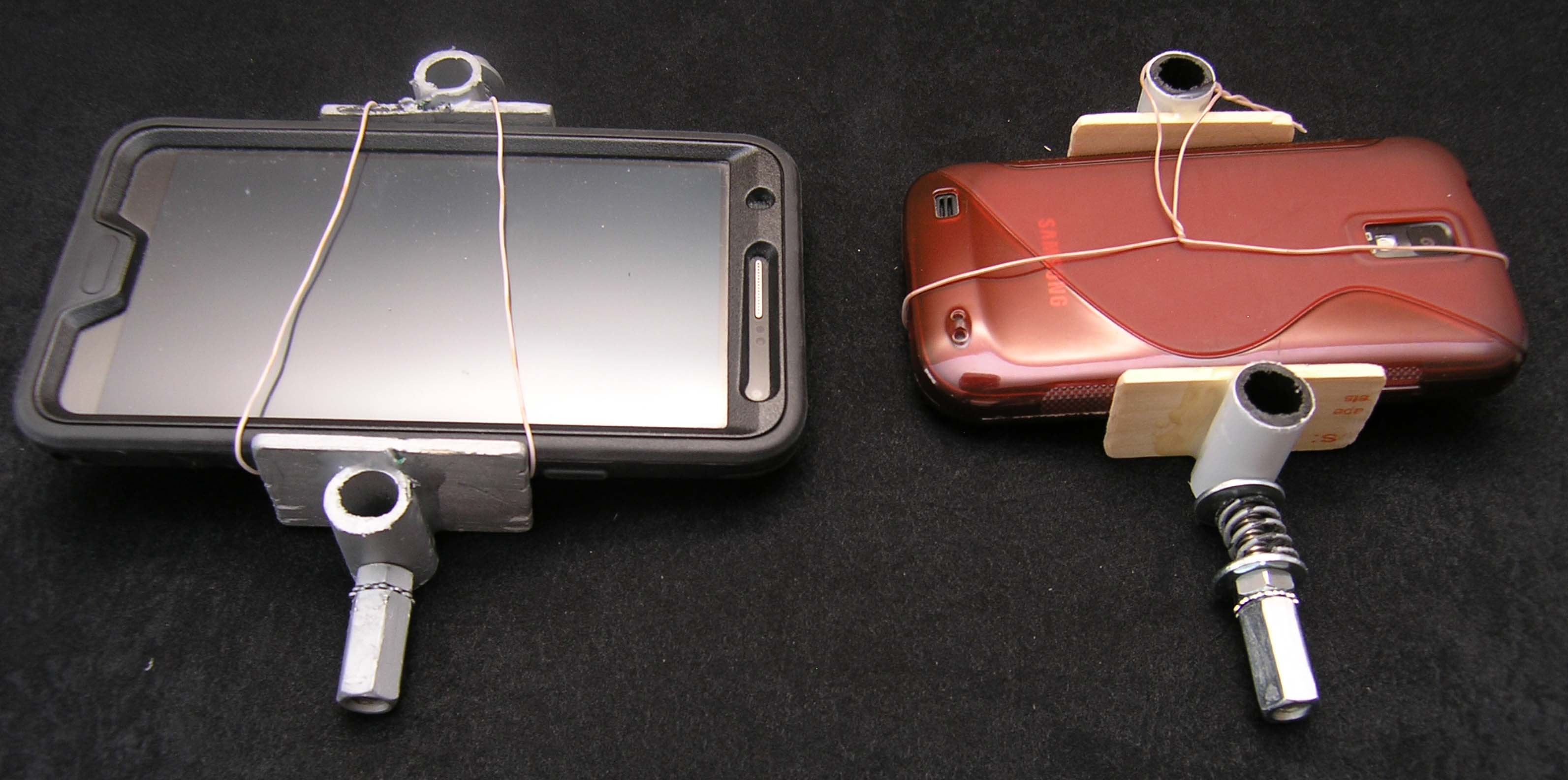
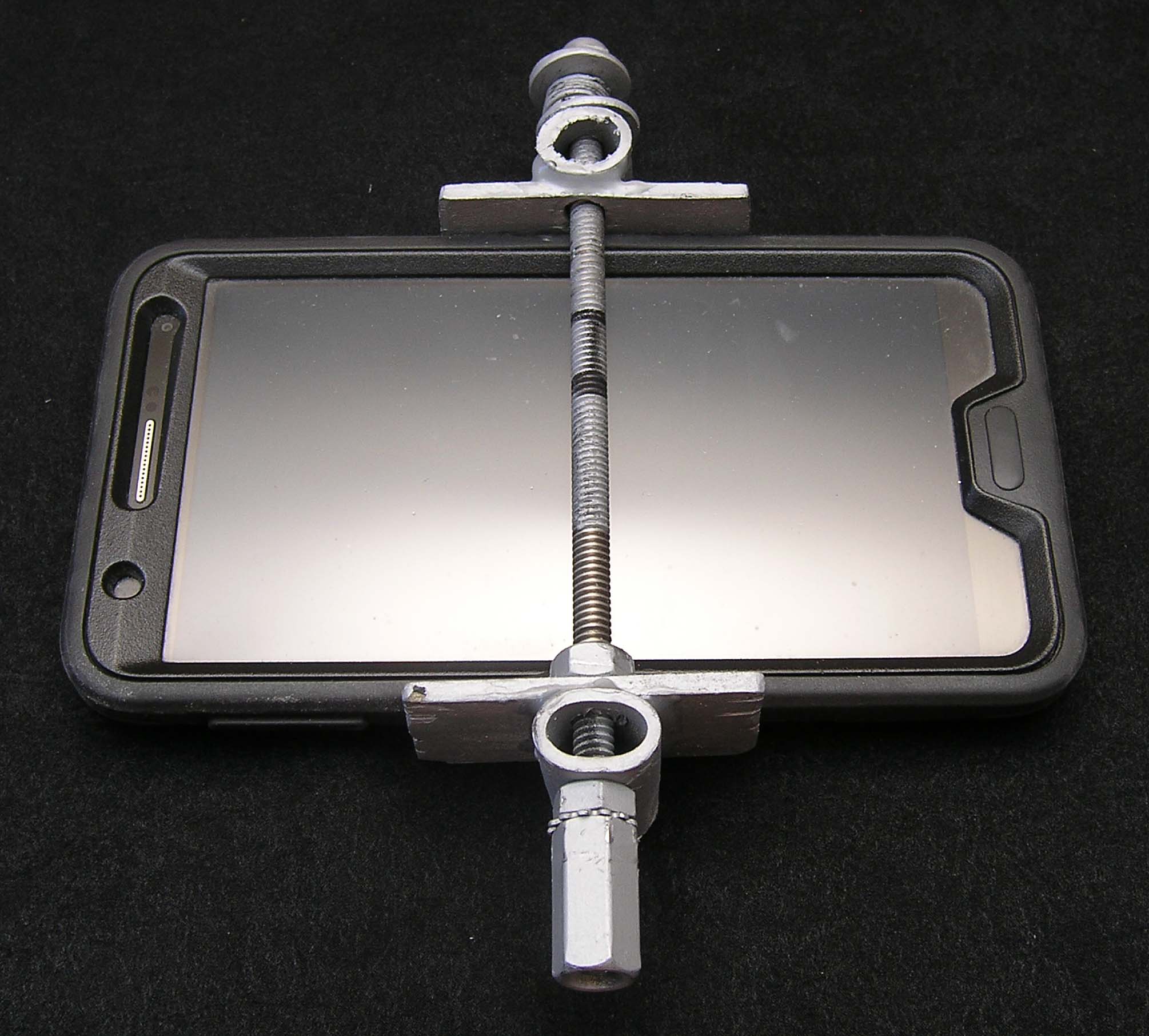
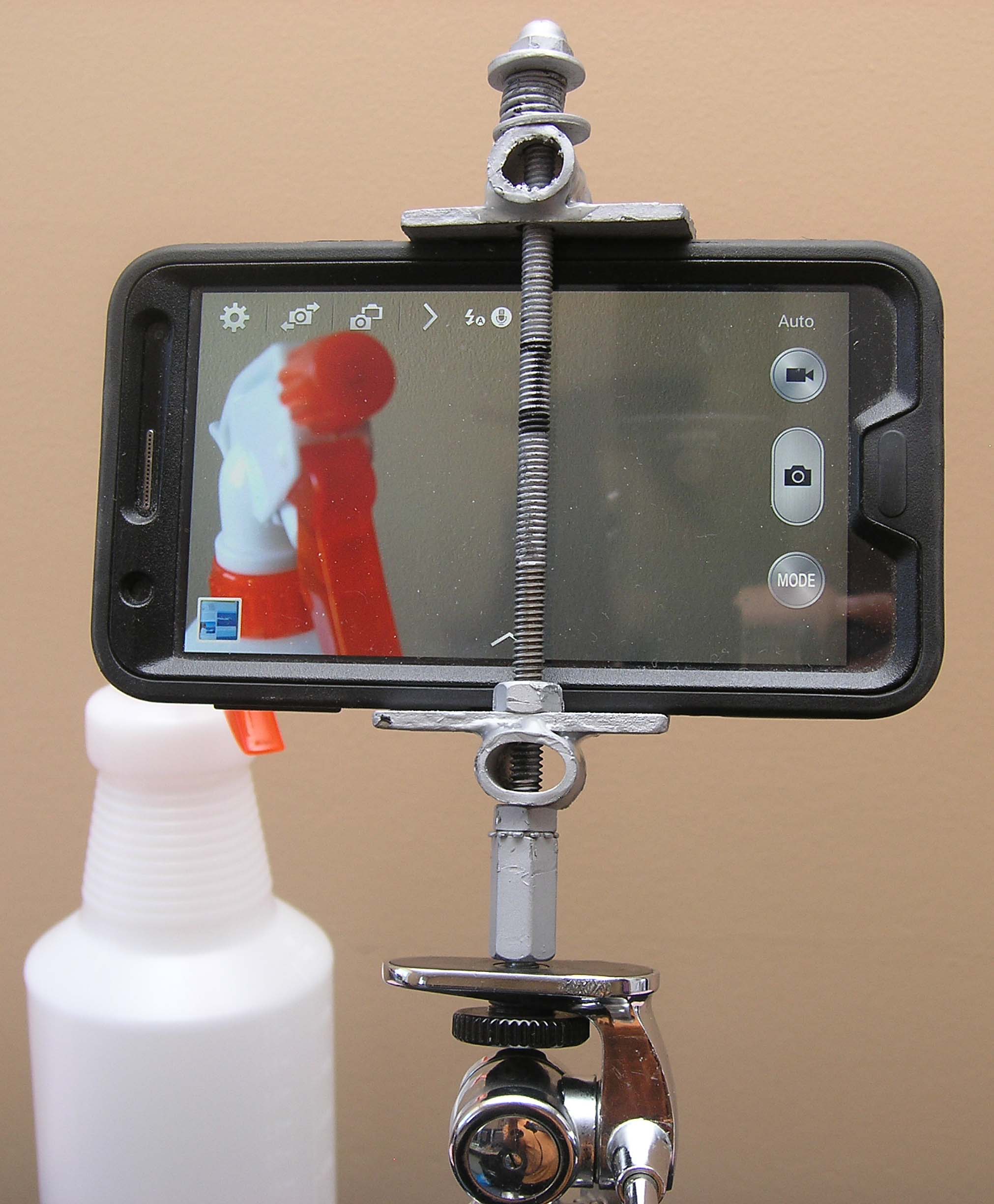
Looking for step-by-step instructions on how to make your own smartphone tripod mount, like the one shown in the 2 pictures below?

OLYMPUS DIGITAL CAMERA

OLYMPUS DIGITAL CAMERA

Well, look no further!

On this page you will find instructions for my version of a smartphone mount. I cannot/will not claim to be the first person who came up with the idea for this mount, and whilst I would certainly like to “give credit, where credit is due” I certainly cannot remember where I came across this idea. That being said, I will be more than happy to provide a link to the website of the person who first developed/published this idea, as long as s(he) can prove that.

Okay, let’s move on with the items required, and the instructions for making this baby.

Items Required:

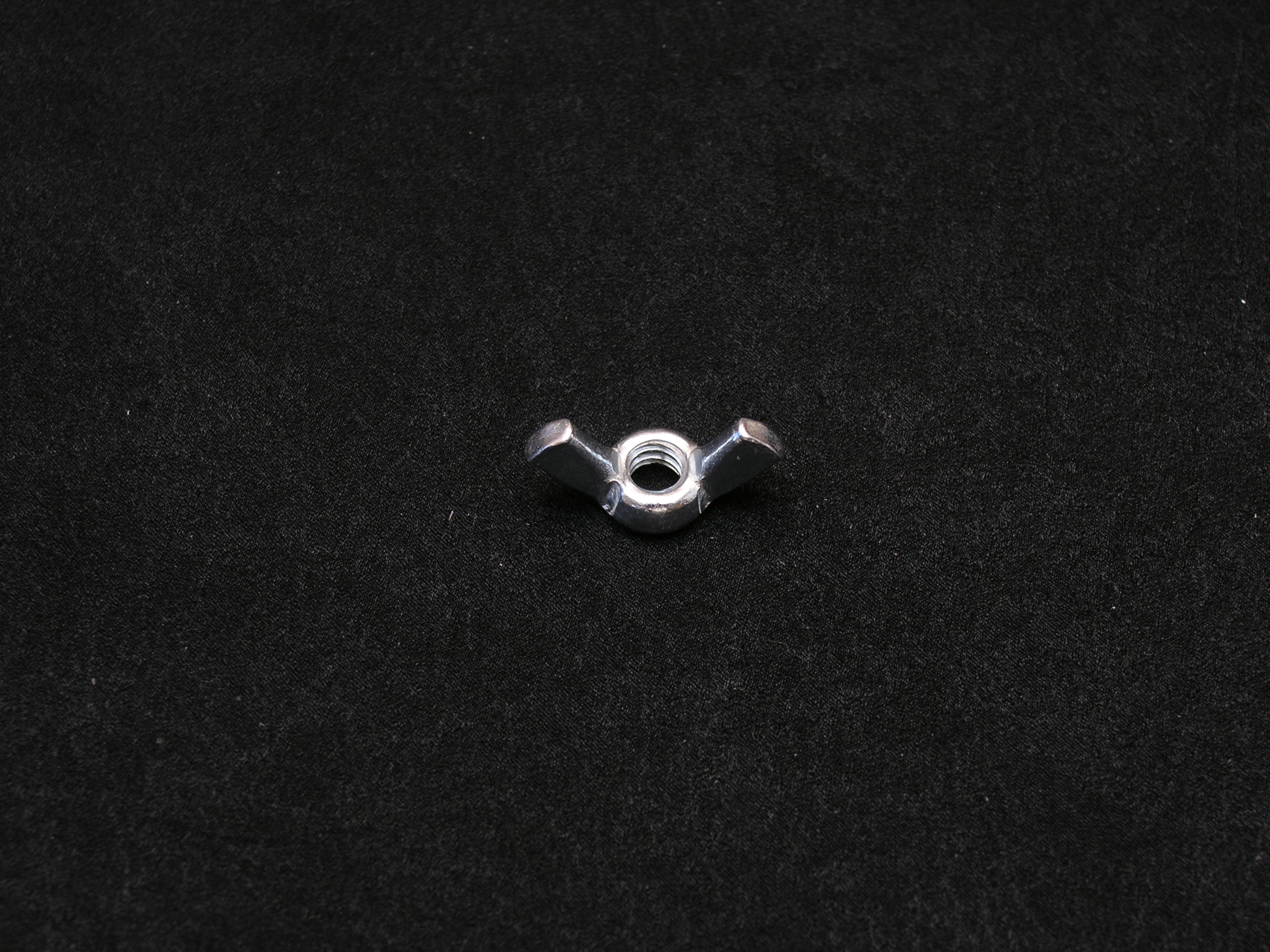
  • 1 Nos. ¼ inch Wing Nut (optional – only required if you cannot find/make a compression spring)
  • 1 Nos. ¼ Acorn Nut
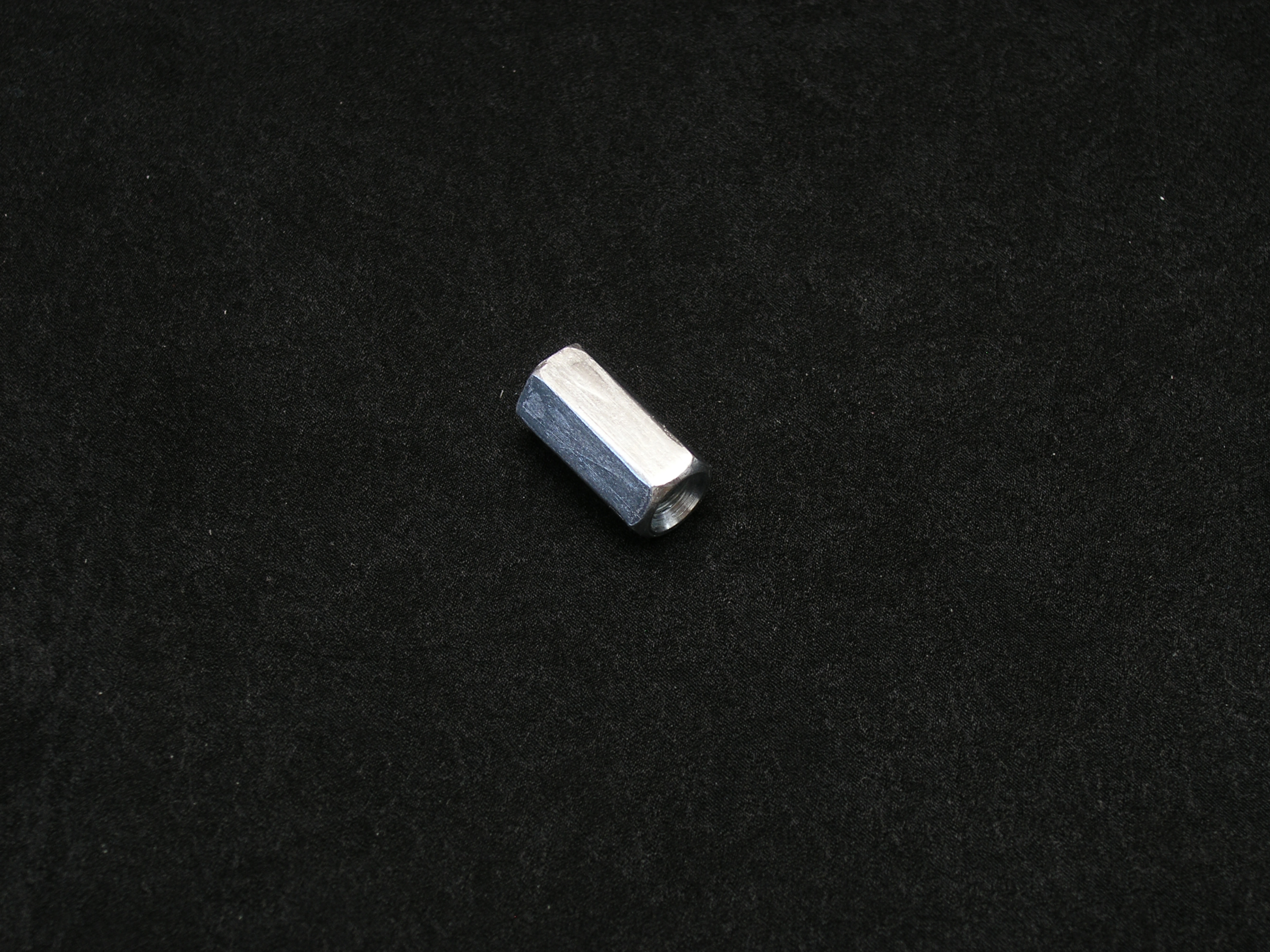
  • 1 Nos. ¼ Coupling Nut
  • 1 Nos. ¼ Regular Nut
  • 1 Nos. ¼ Washer-attached regular Nut
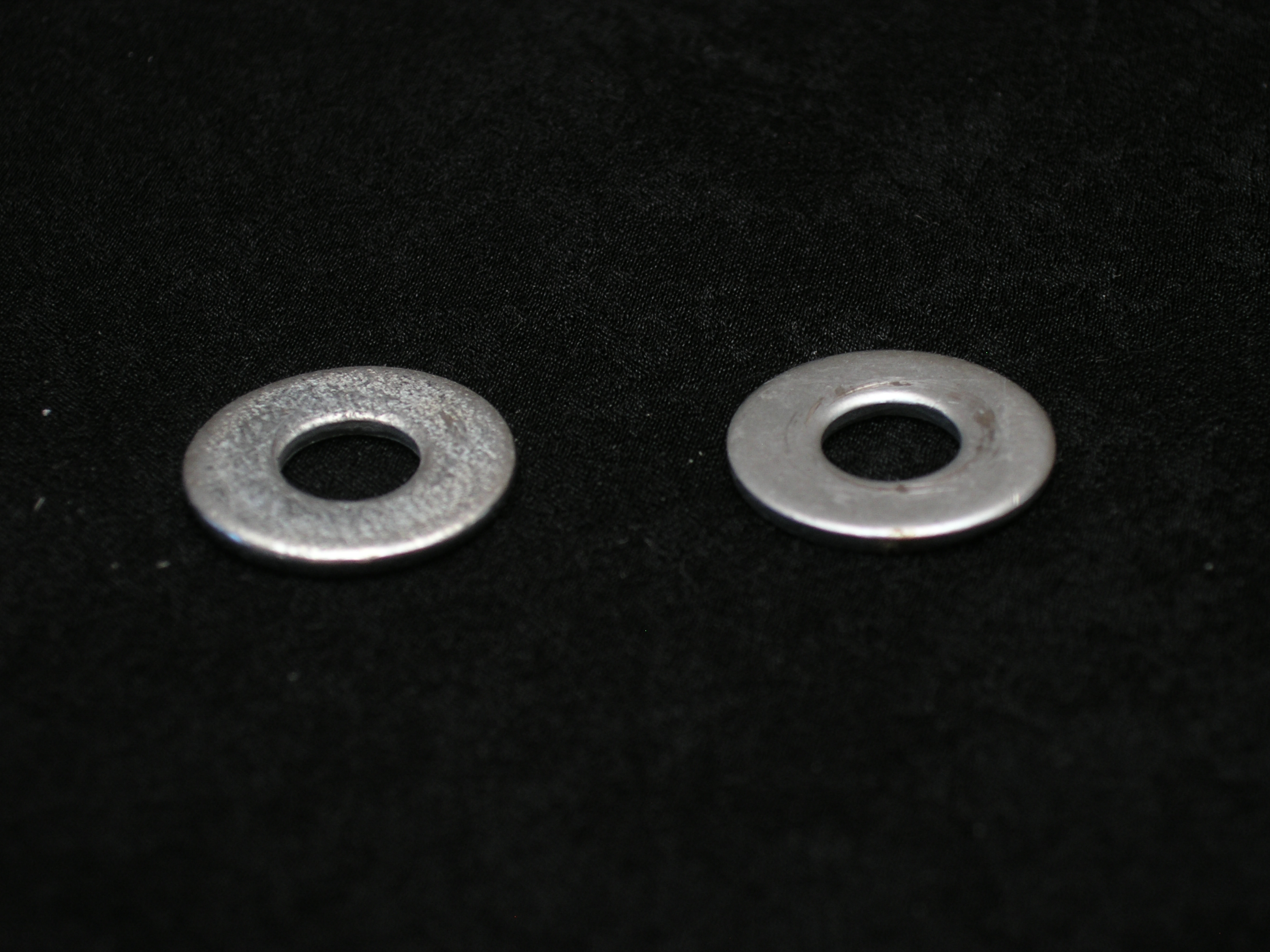
  • 2 Nos. Metal Washers (with inner diameter suitable to accommodate a ¼ bolt)
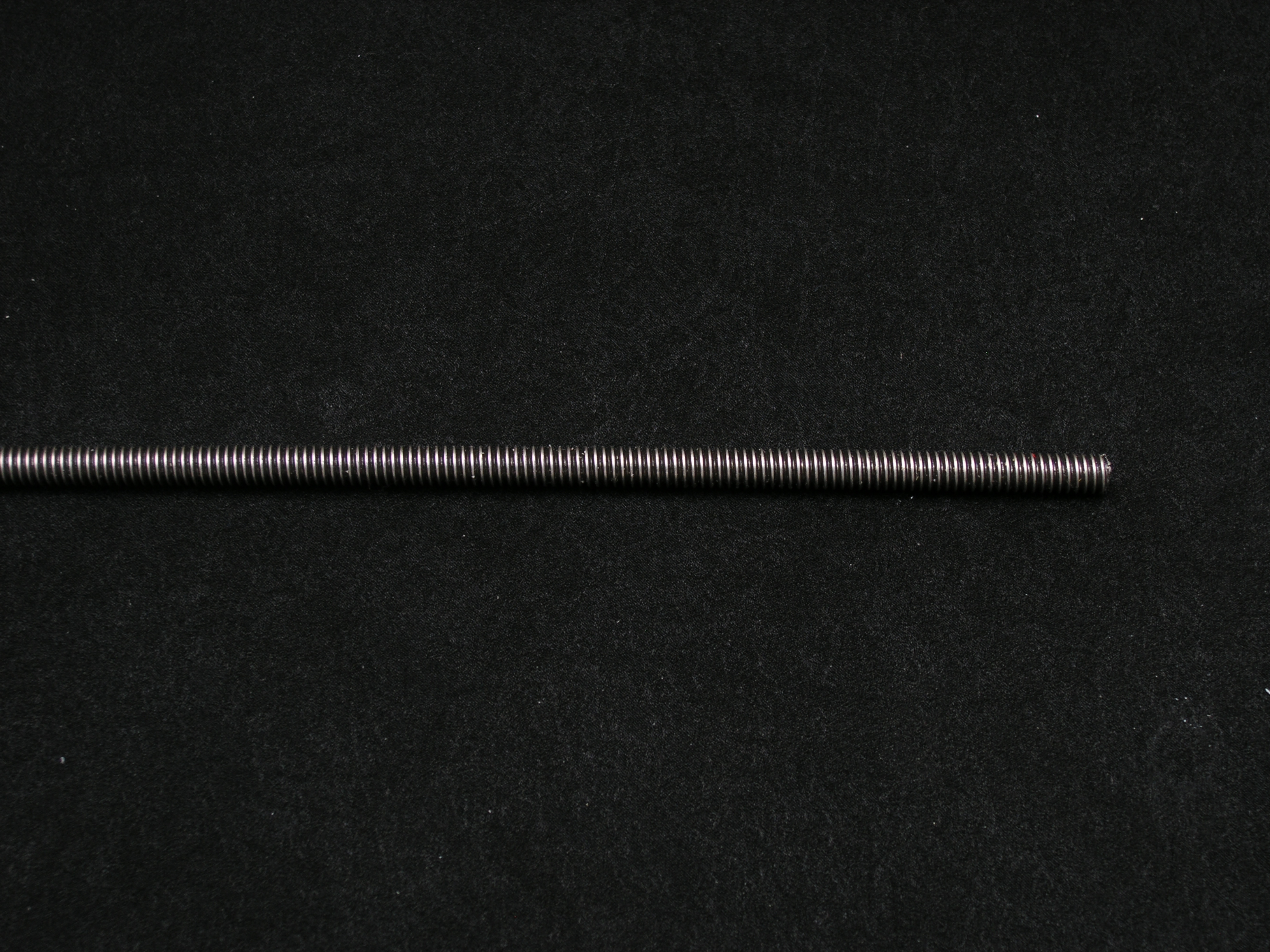
  • Compression Spring (with inner diameter suitable to accommodate a ¼ bolt)
  • 1 Nos. Paint Stir-stick (or a similar piece of wood)
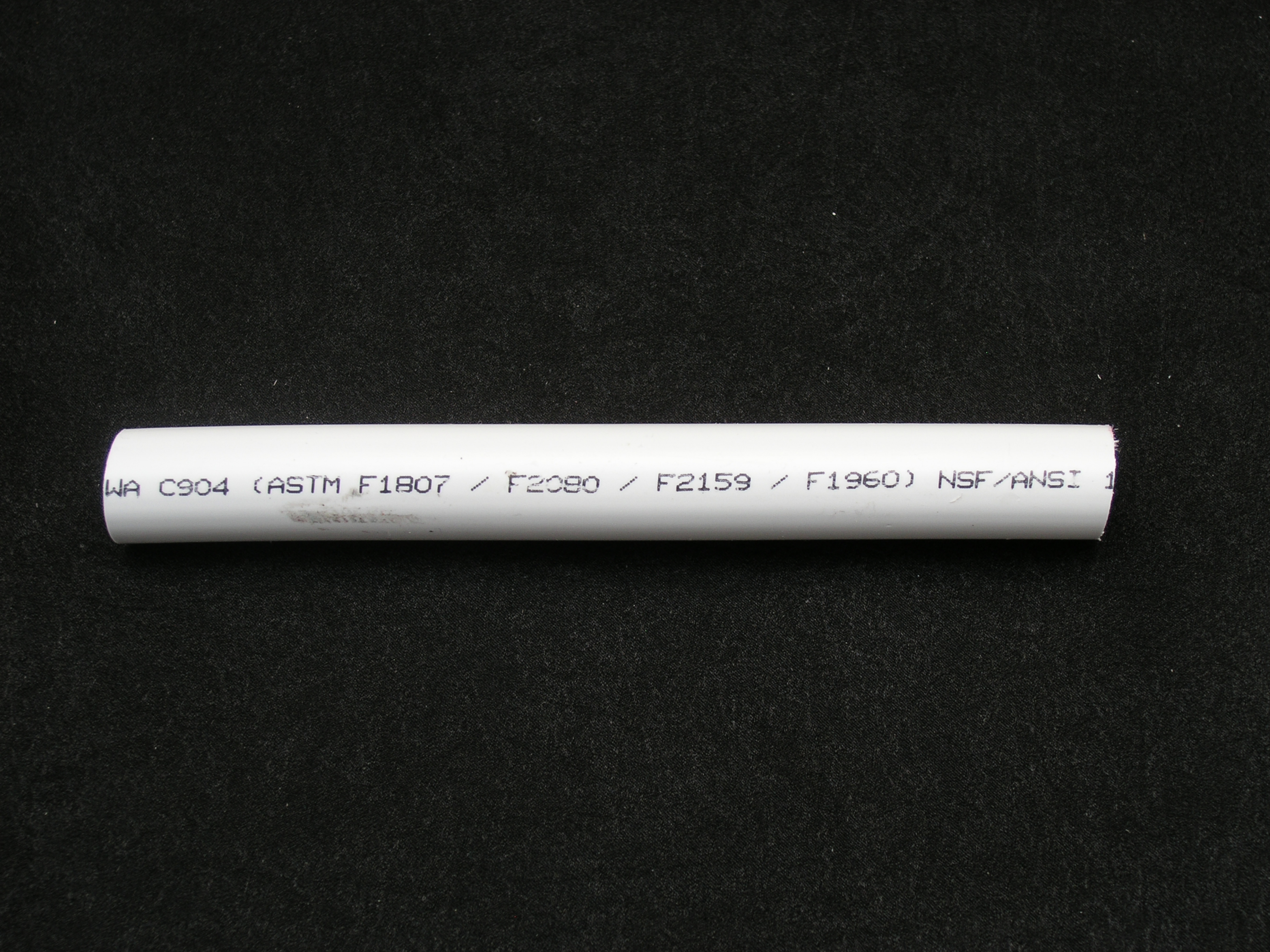
  • Piece of PVC tubing
  • 1 Nos. All-thread Rod
  • Strong Glue/Epoxy
  • Marker
  • Smartphone

You will also require (or have access to) the following:

  • Vice
  • Pliers (Nose or regular, doesn’t really matter)
  • Wire-cutting Pliers
  • Hacksaw & Blade (to cut metal)
  • Metal File
  • Drill (with at least a ¼ drill bit)
  • Safety Glasses (Don’t forget to wear these – I suggest you wear them at all times)

Instructions:

If you were only able to find a regular spring (and not a compression spring), the first thing you may want to do is to convert that (regular) spring into a compression spring.

“How do you do that?”, I hear you ask!

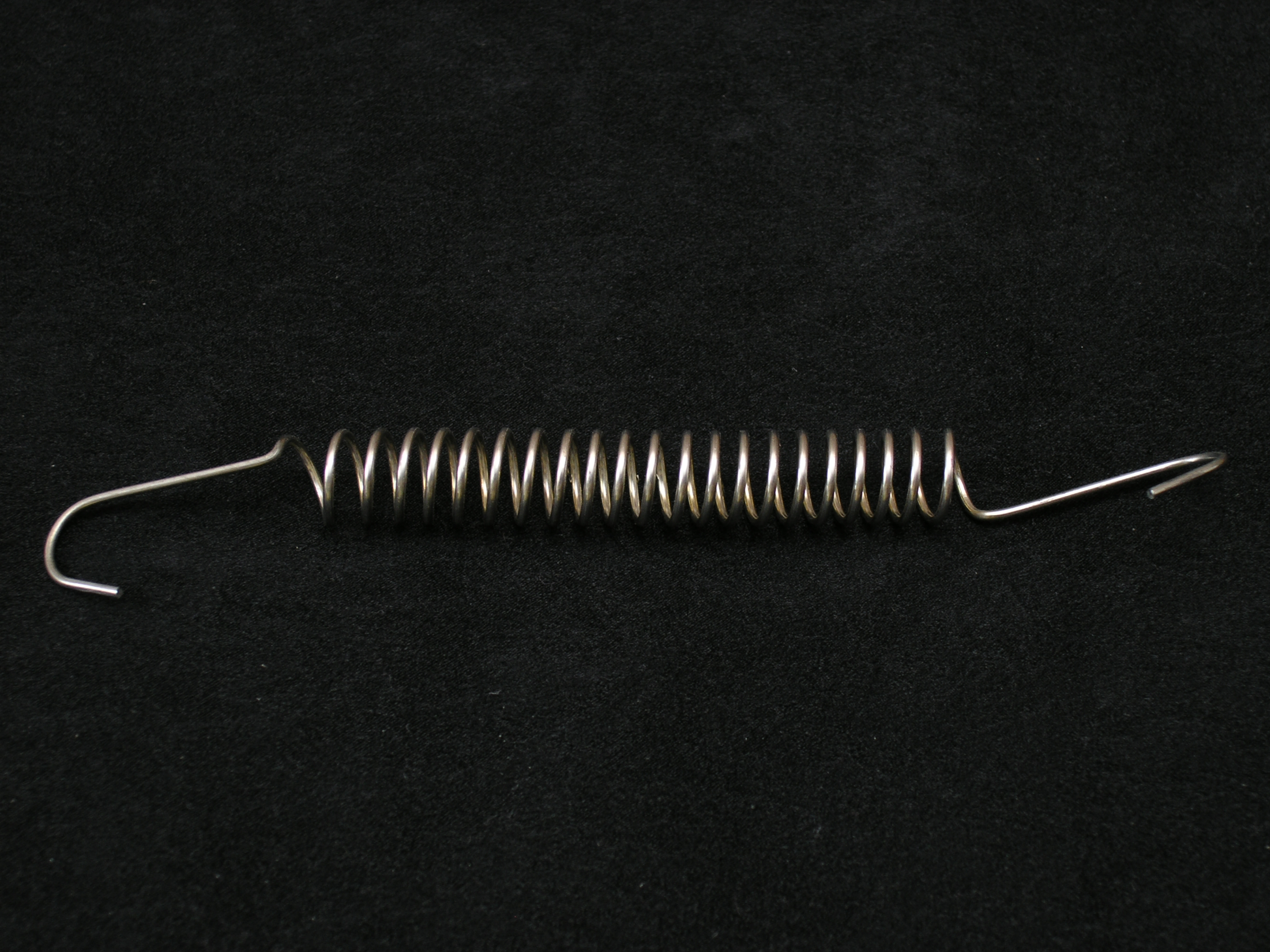
Well, it’s quite simple really. Take one end of the regular spring and clamp it tightly into your vice. Then firmly grip the other end with a pair of pliers and gently pull in the opposite direction, so as to stretch out the spring. You should try and stretch out the coiled portion so that it almost doubles in length. With that you can then make two mounts, by cutting the spring into half. If included, you would also need to cut off the hooked ends.

The next 2 pictures illustrate how my spring looked originally, and how I stretched it out to convert it into a compression spring:

OLYMPUS DIGITAL CAMERA

OLYMPUS DIGITAL CAMERA

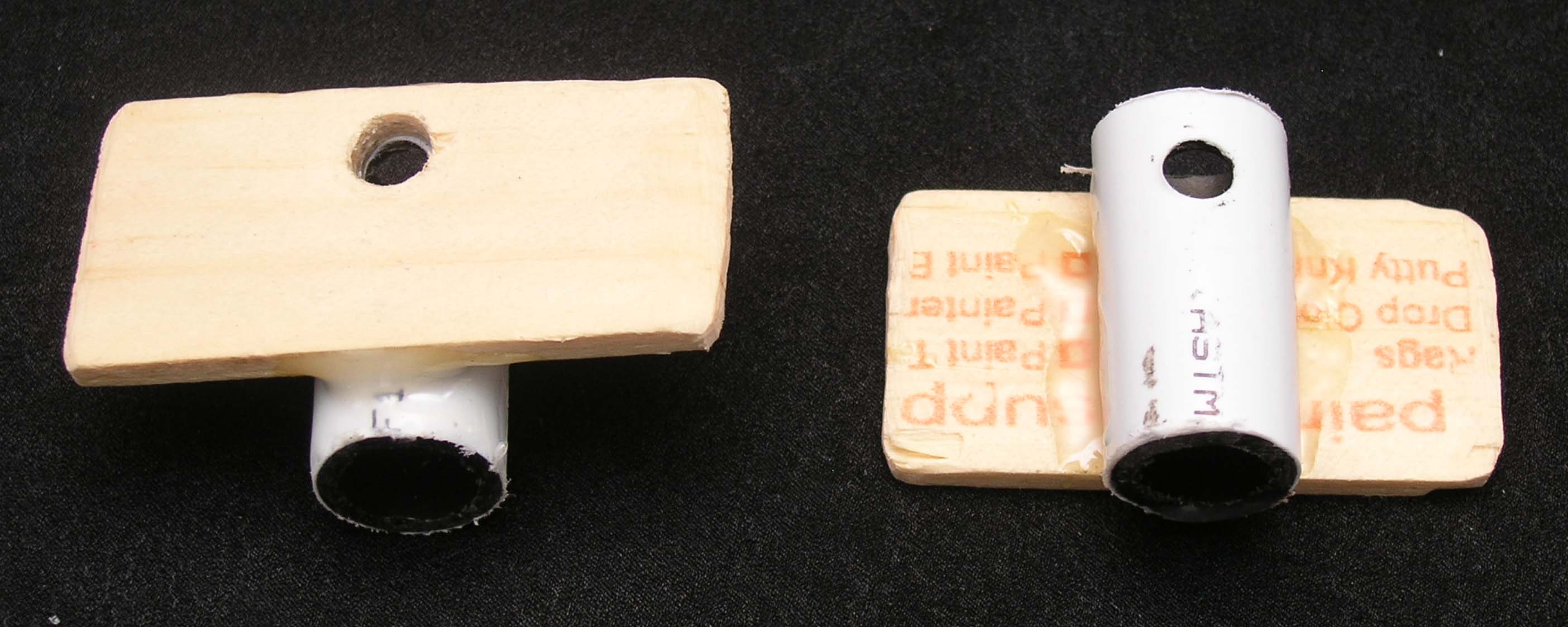
The next thing you will want to do is to cut 2 small pieces out of your paint stir-stick and then drill two quarter inch holes towards the top-center position of one of the longer sides, as shown below:

OLYMPUS DIGITAL CAMERA

Now it’s time to cut 2 pieces of the PVC pipe. You may certainly use the metal hacksaw to cut these as well, and ensure that you cut them as shown in the picture below – not more, not less. Once you’re done cutting them to size, you will want to drill two quarter inch holes towards one of the ends, as shown in the picture below. Once that’s done, you may go ahead and glue a PVC pipe each to each of the two pieces of paint stir-sticks. To ensure that the holes are all lined up correctly, you may want to install them on the all-thread rod and then do the gluing.

OLYMPUS DIGITAL CAMERA

The last thing you want to do (before putting all the parts together) is to cut the all-thread rod to size. This can be the most tricky part, so please think well and hard before cutting (remember, measure twice, cut once). What works best is if you do a mock-installation of all the parts onto the all-thread rod (before it’s cut), and then mark out the place where you will be making the cut.

Bear in mind that the distance of the two flat pieces of wood should be slightly less (perhaps by an inch) than the top-to-bottom measurement of your phone (when your phone is in landscape mode, and held vertical to the ground).

That being said, it should not be so much less, that your phone will not fit in between the two pieces of wood whilst the compression spring is fully compressed/flattened.

Once you’ve marked the spot for cutting, put your all-thread rod into your vice and use your metal hacksaw to cut the rod to size.

OLYMPUS DIGITAL CAMERA

OLYMPUS DIGITAL CAMERA

OLYMPUS DIGITAL CAMERA

Okay, now it’s time to put everything together.

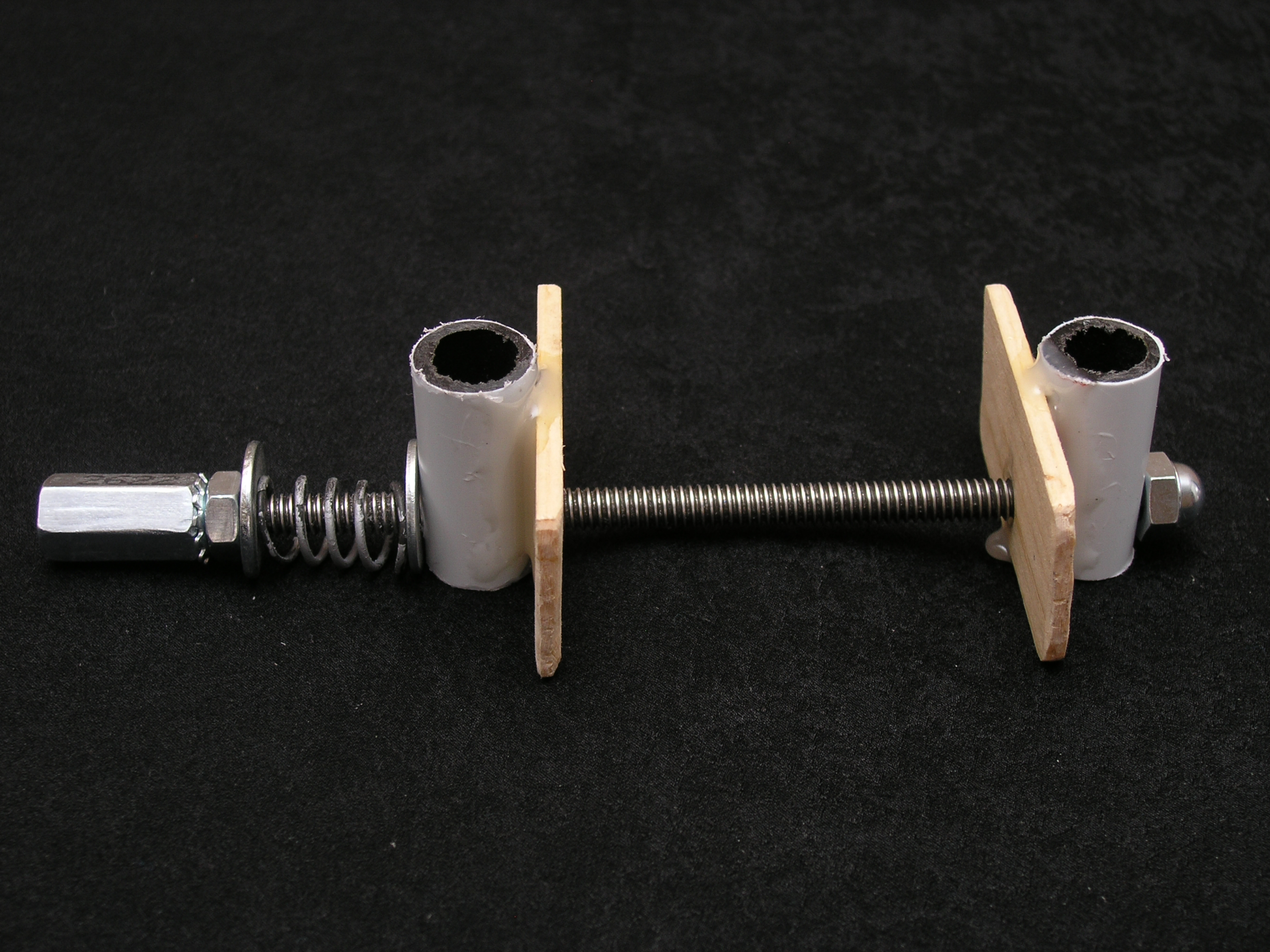
On one end, start off by installing one of the joined pieces of PVC pipe and wood, ensuring that the wood side goes inside. Follow that up with one of the metal washers, the compression spring, the other metal washer, the washered-nut, and finally the coupling nut. Tighten the coupling nut and washwered-nut in opposite directions to each other.

Moving to the other end of the all-thread rod, first up is the joined pieces of PVC pipe and wood, with the flat side of the wood facing inwards, and then you can finish it off with the acorn nut at the very top.

If the above description is a bit confusing, you may certainly check the picture below to see how (and where) things are placed. Hopefully the picture helps a bit more.

OLYMPUS DIGITAL CAMERA

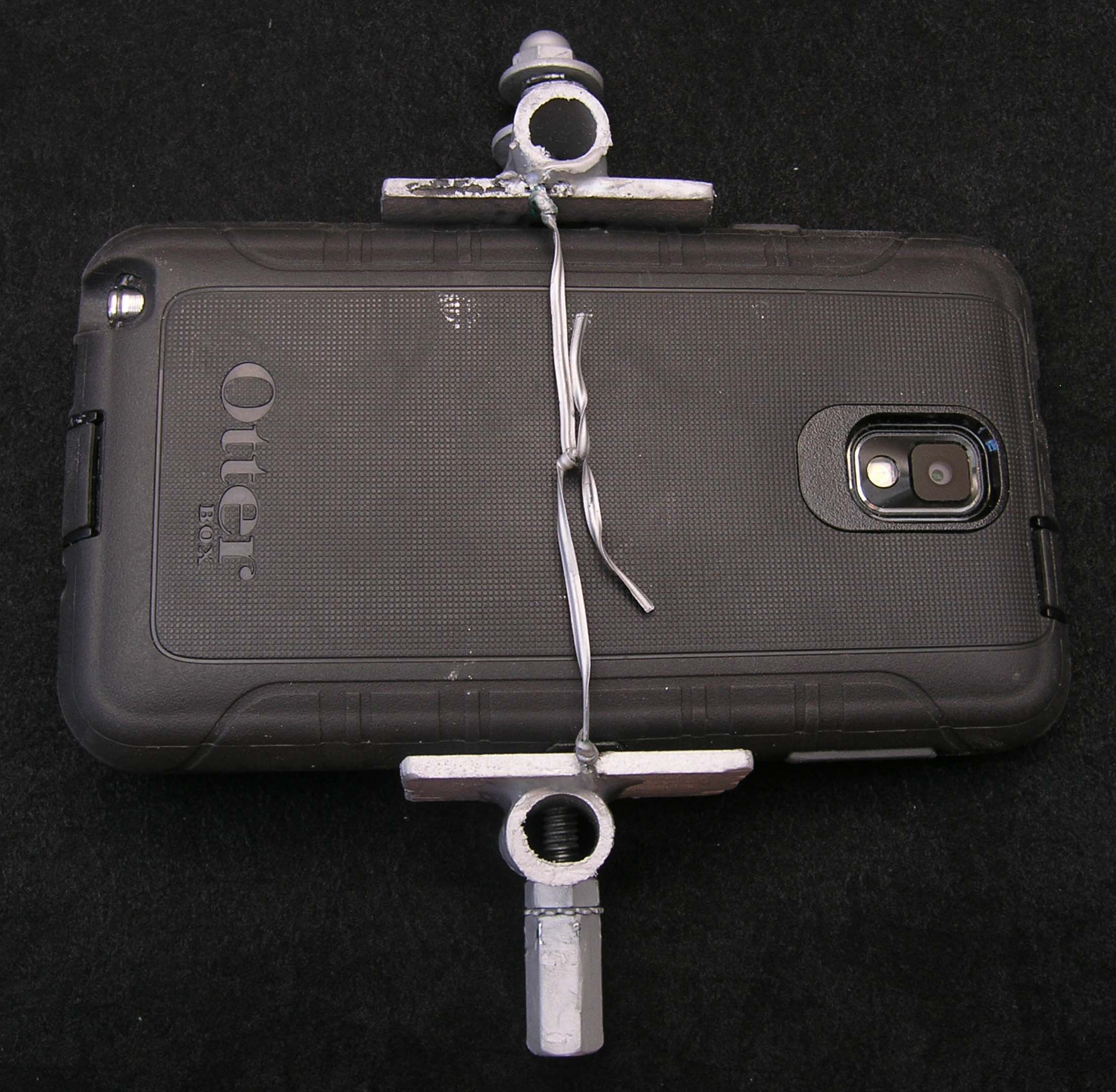
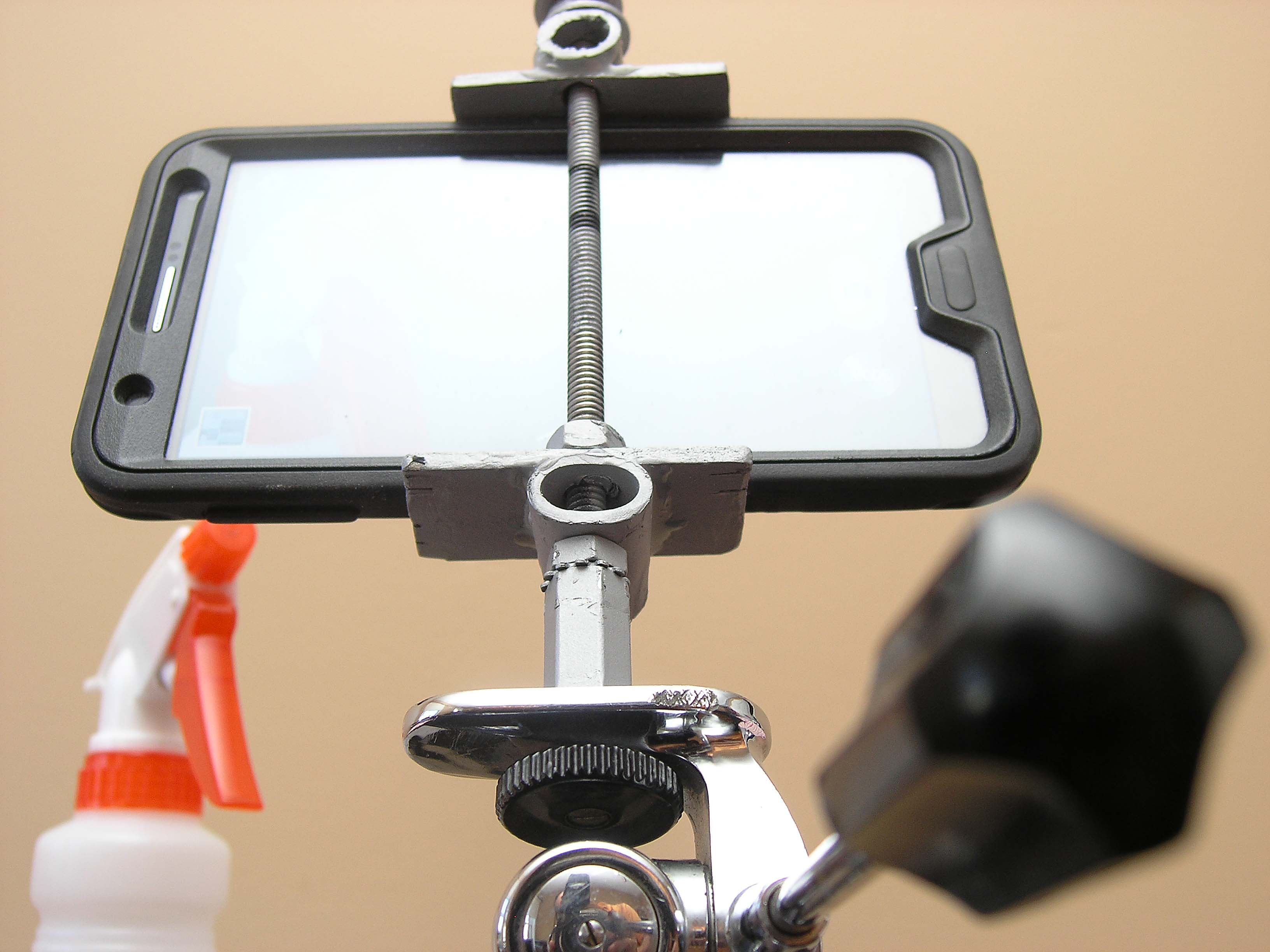
The next few pictures below show you different views of the 2 mounts I made, one for my Samsung Galaxy Note 3, and the other for my Samsung Galaxy S II.

I can now place the 2 phones on either side of my talent (whoever/whatever it may be) and then at the editing stage I choose to alternate cameras, in order to make the end-result less boring.

Whilst recording a training video, I keep on my person a third smartphone, the main purpose of which is to record the audio via a DIY lavalier mic plugged in to the third smartphone. Needless to say, I use the audio from this phone to replace (at the editing stage) the audio that’s recorded on the other two phones.

End-result: great video with stunningly clear audio.

Note that the clamping mechanism of this mount is so strong that once clamped into place, the phone will not budge, even when shaken rather aggressively. This is all due to the strength of the compression spring being used. A lighter strength spring may not hold the phone in place too well.

OLYMPUS DIGITAL CAMERA

OLYMPUS DIGITAL CAMERA

OLYMPUS DIGITAL CAMERA

OLYMPUS DIGITAL CAMERA

OLYMPUS DIGITAL CAMERA

OLYMPUS DIGITAL CAMERA


Pictures of parts required for this project:

OLYMPUS DIGITAL CAMERA

OLYMPUS DIGITAL CAMERA

OLYMPUS DIGITAL CAMERA

OLYMPUS DIGITAL CAMERA

OLYMPUS DIGITAL CAMERA

OLYMPUS DIGITAL CAMERA

DIY Tutorial – How to modify and use an Egg Timer for Time-Lapse Videos and Panoramic Photographs

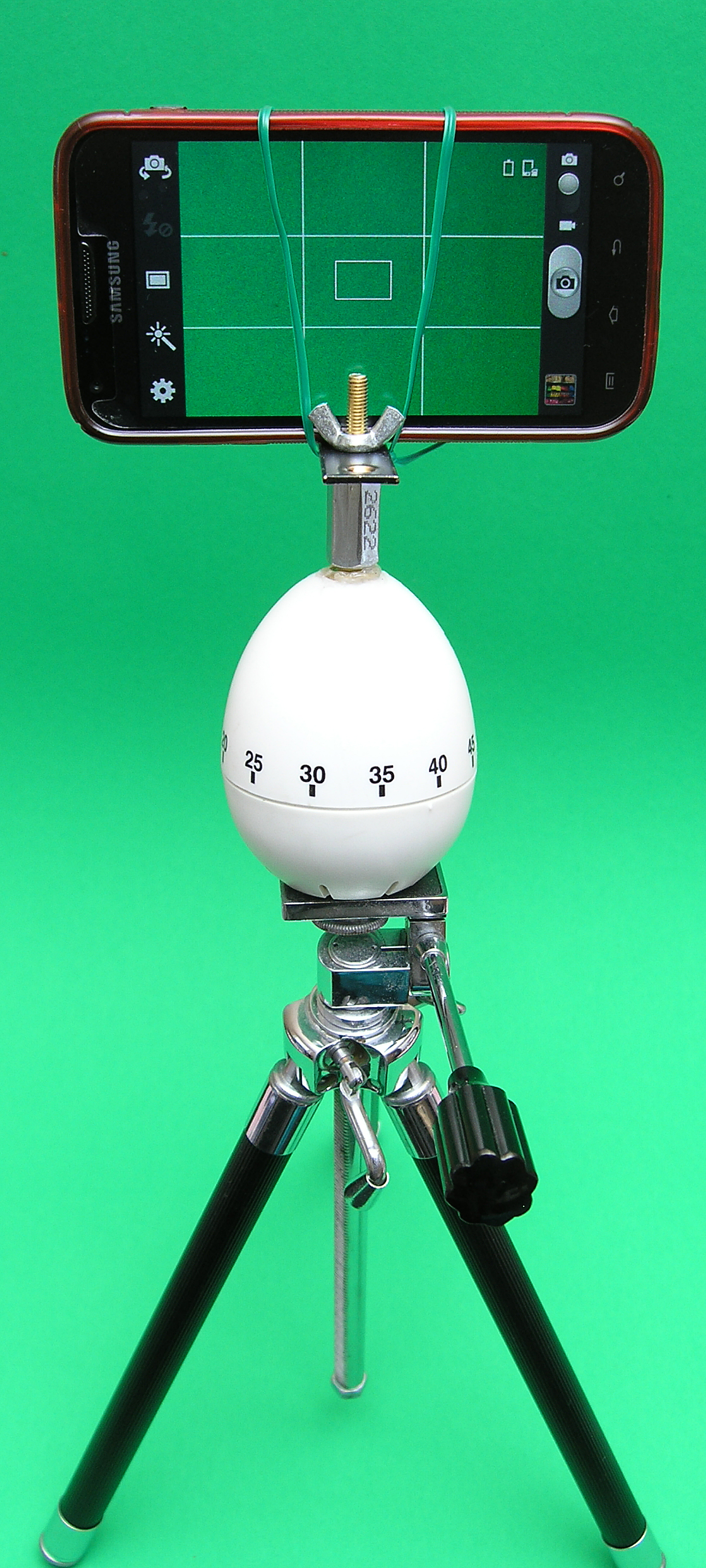
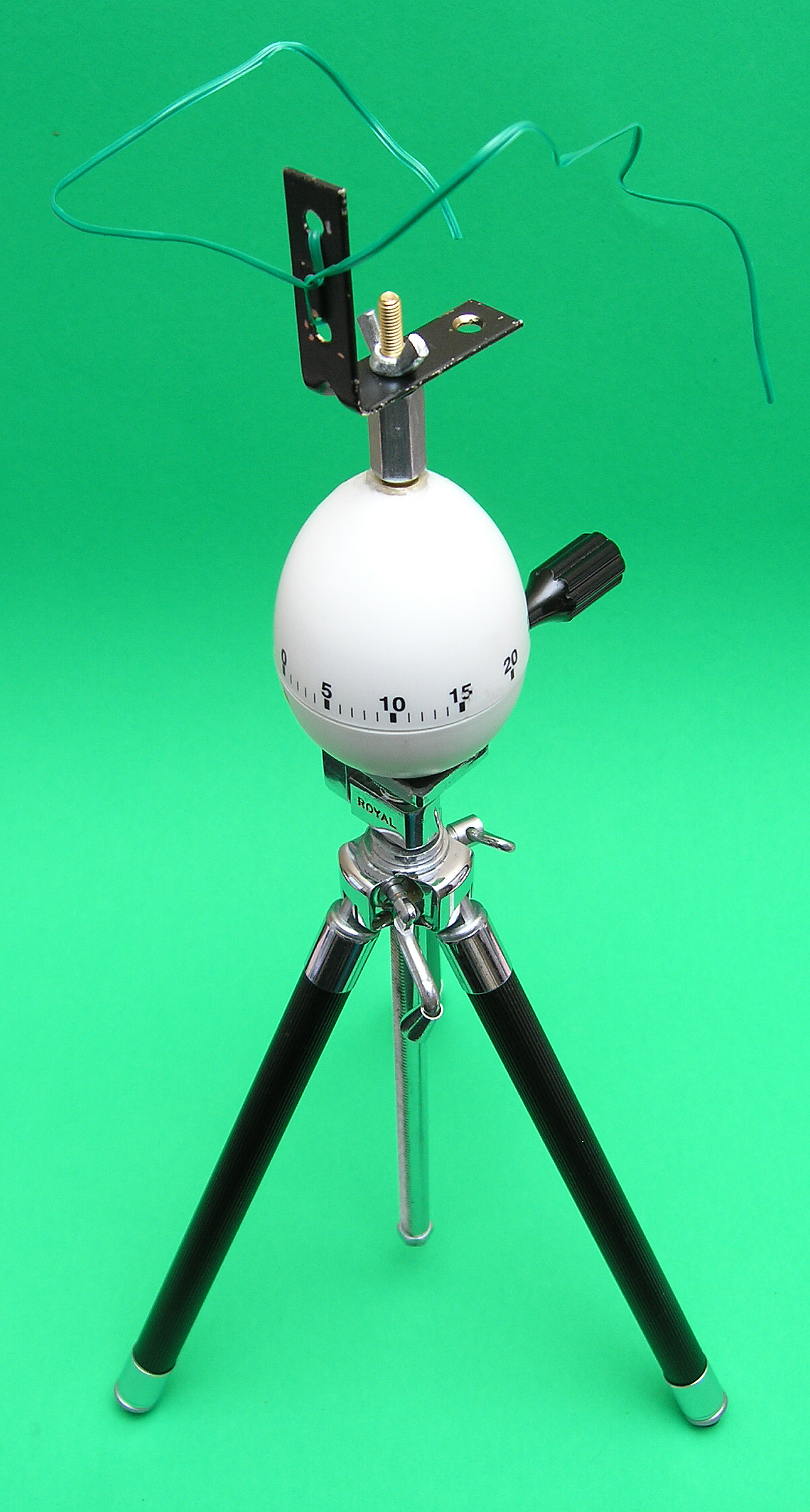
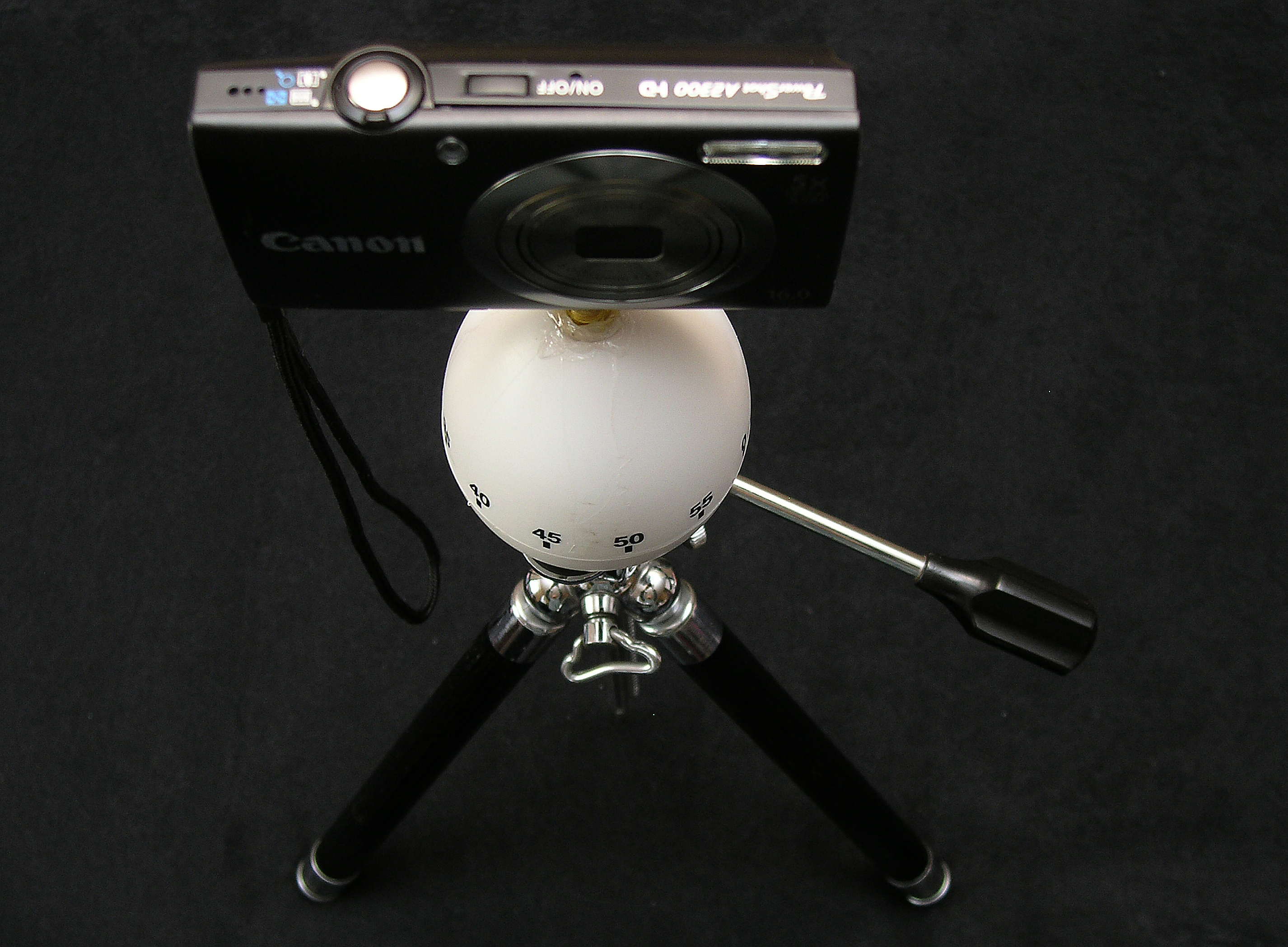
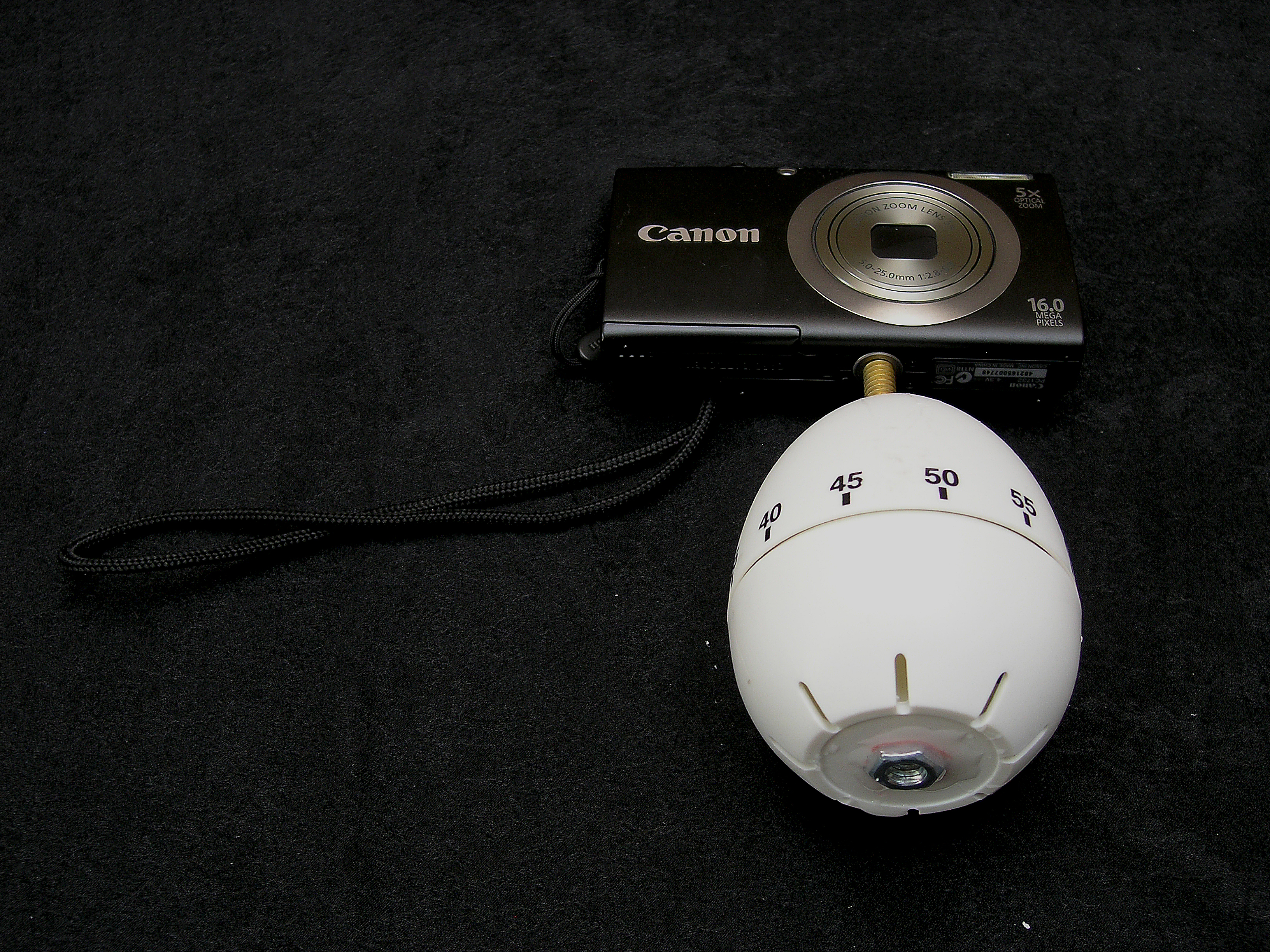
The first five pictures below show you what you can expect to achieve, on completion of this how-to:

This is how the modified egg-timer looks with only a camera mounted on the top tripod-mount screw.

Parts List #1 (with picture below):

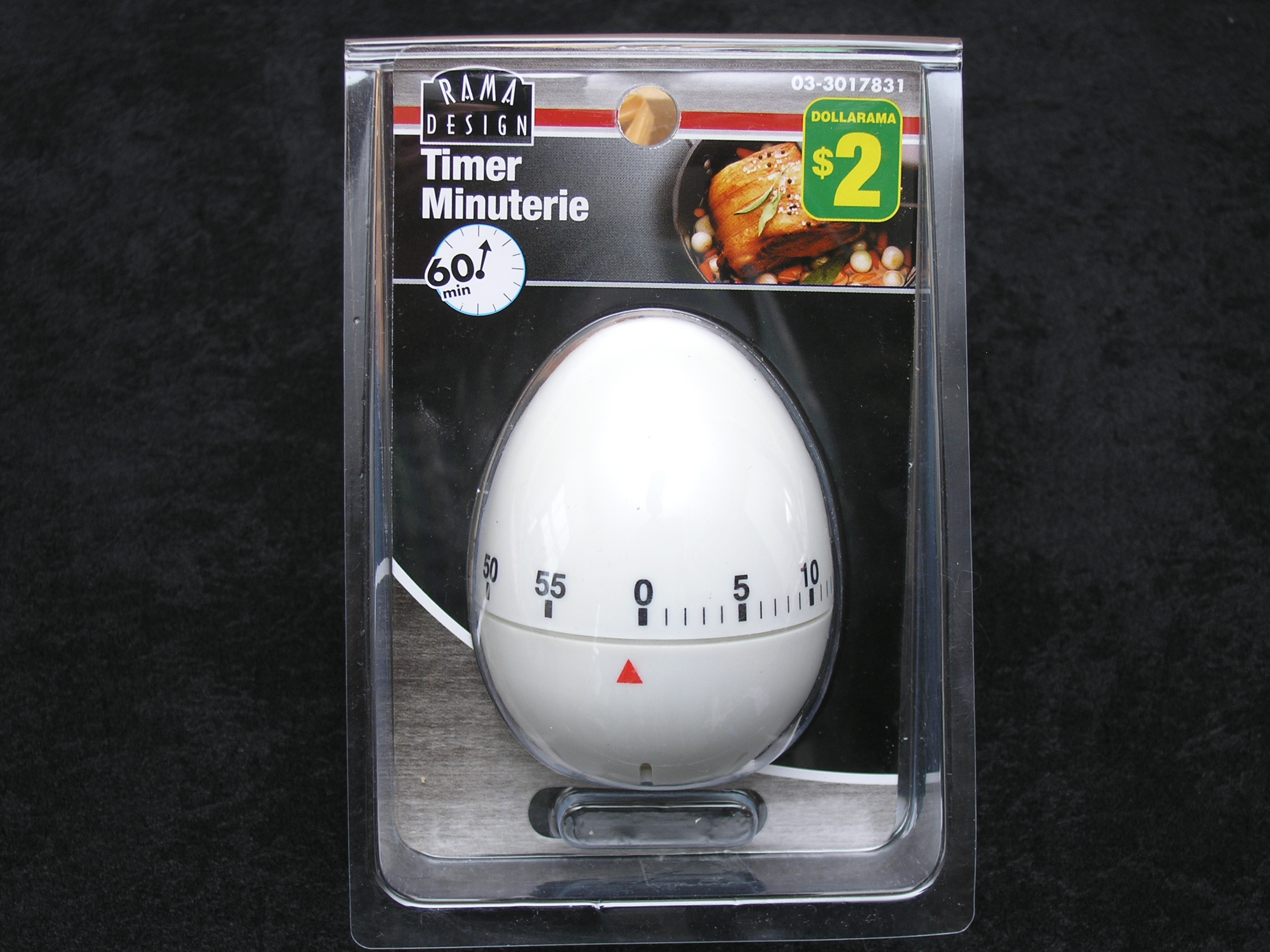
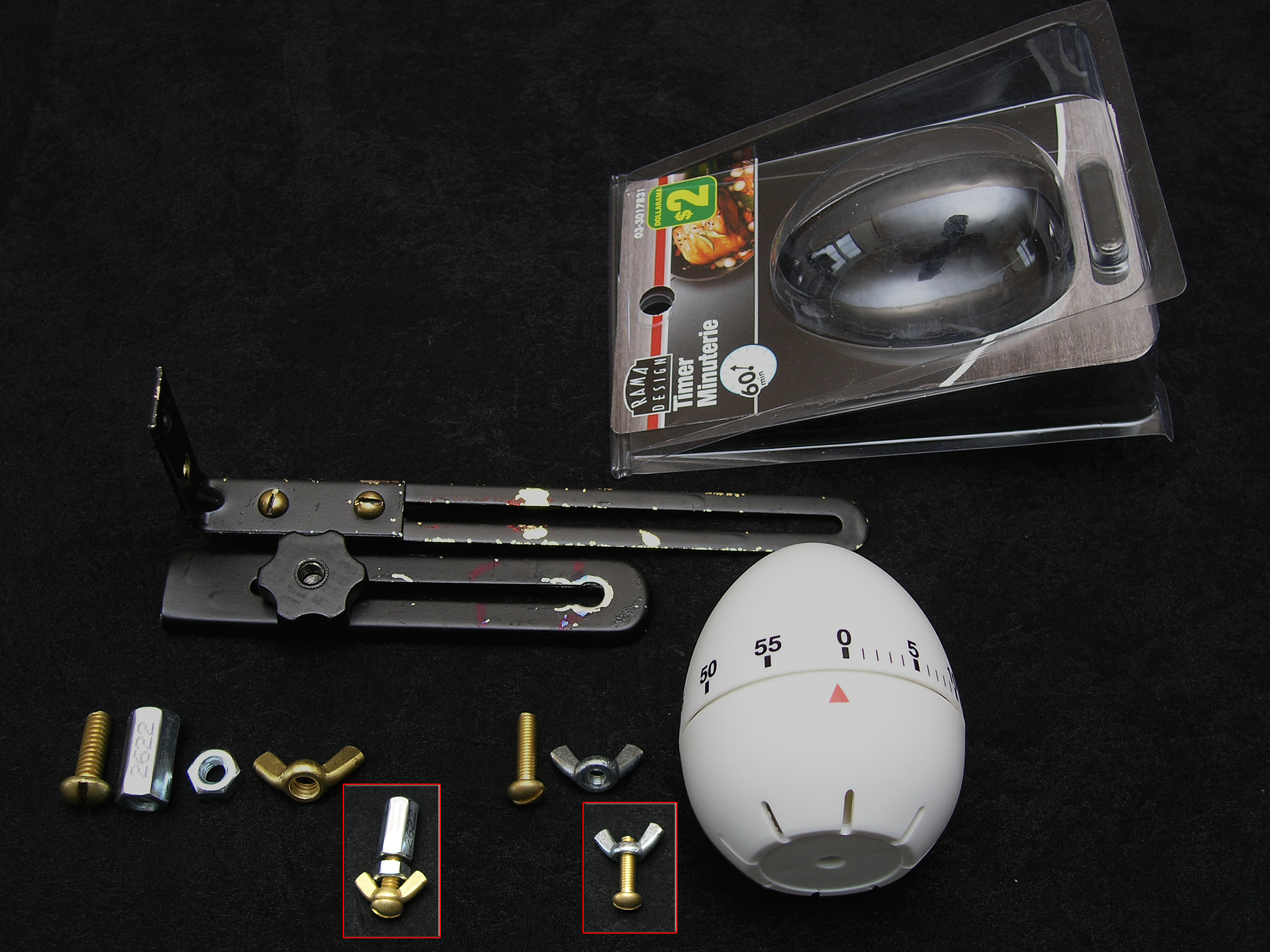
First things first: You’ll need an Egg-Timer – duh! The one I went with is available at Dollarama (if you live in Canada) for just $2, and you get them in different shapes as well, such as apple, lemon, pear, hen, and probably one or two others which I do not remember now. I selected the egg-shaped one due to the fact that it’s the easiest one to work with i.e. for drilling holes in the top and bottom.

Parts List #2 (with picture below):

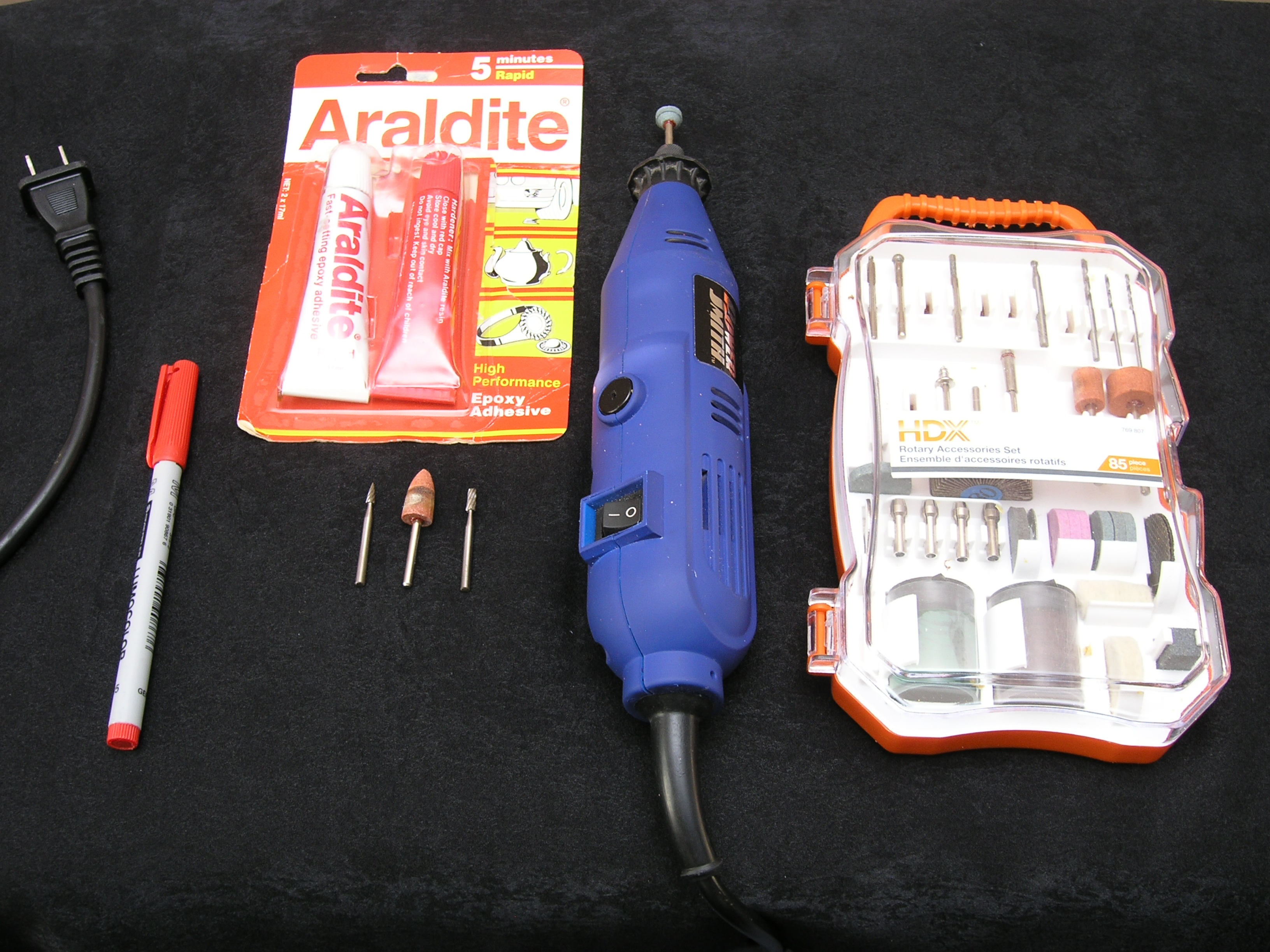
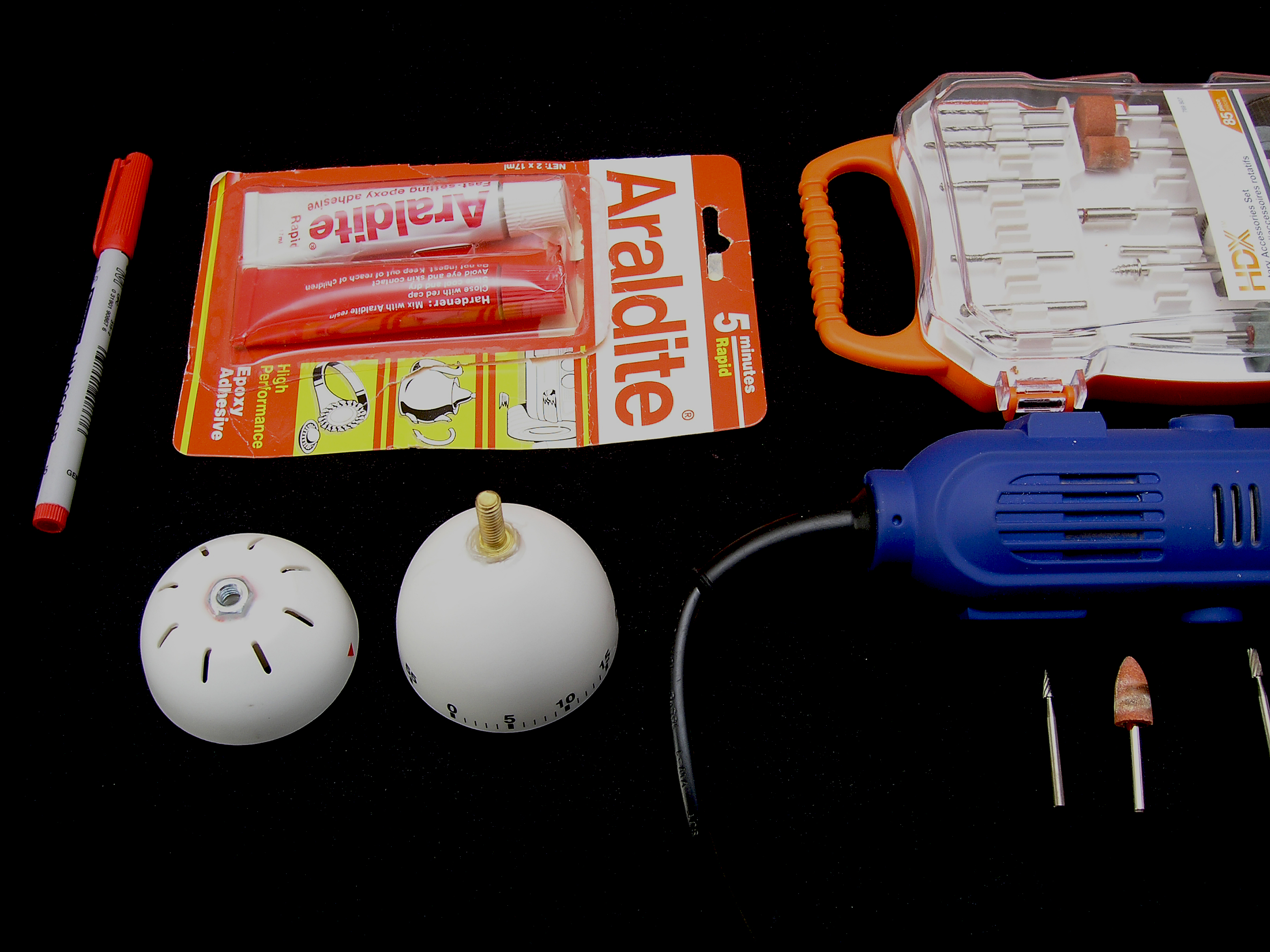
You’ll also need the following items (also shown in next picture below):

  • Dremel/Rotary tool
  • Apropriate bits for the rotary tool. I used 4 of them, as shown in the picture
  • Araldited, or similar bonding epoxy/glue
  • Marker

Parts List #3 (with picture below):

And finally, you’ll also need the following nuts and bolts:

  • 1 nos. quarter inch bolt with a thread size (and type) that matches the tripod mount of a camera
  • 1 nos. long, cylindrical nut of the matching thread size (and type) as the bolt above
  • 1 nos. regular nut of the matching thread size (and type) as the bolt above
  • 1 nos. wing-nut of the matching thread size (and type) as the bolt above
  • 1 nos. quarter inch bolt of a narrower width (should easily fit into [and slide along] the slit of the optional black thing-a-ma-jigs
  • Optional thing-a-ma-jigs (required only if you want to use this contraption with a smartphone as well):

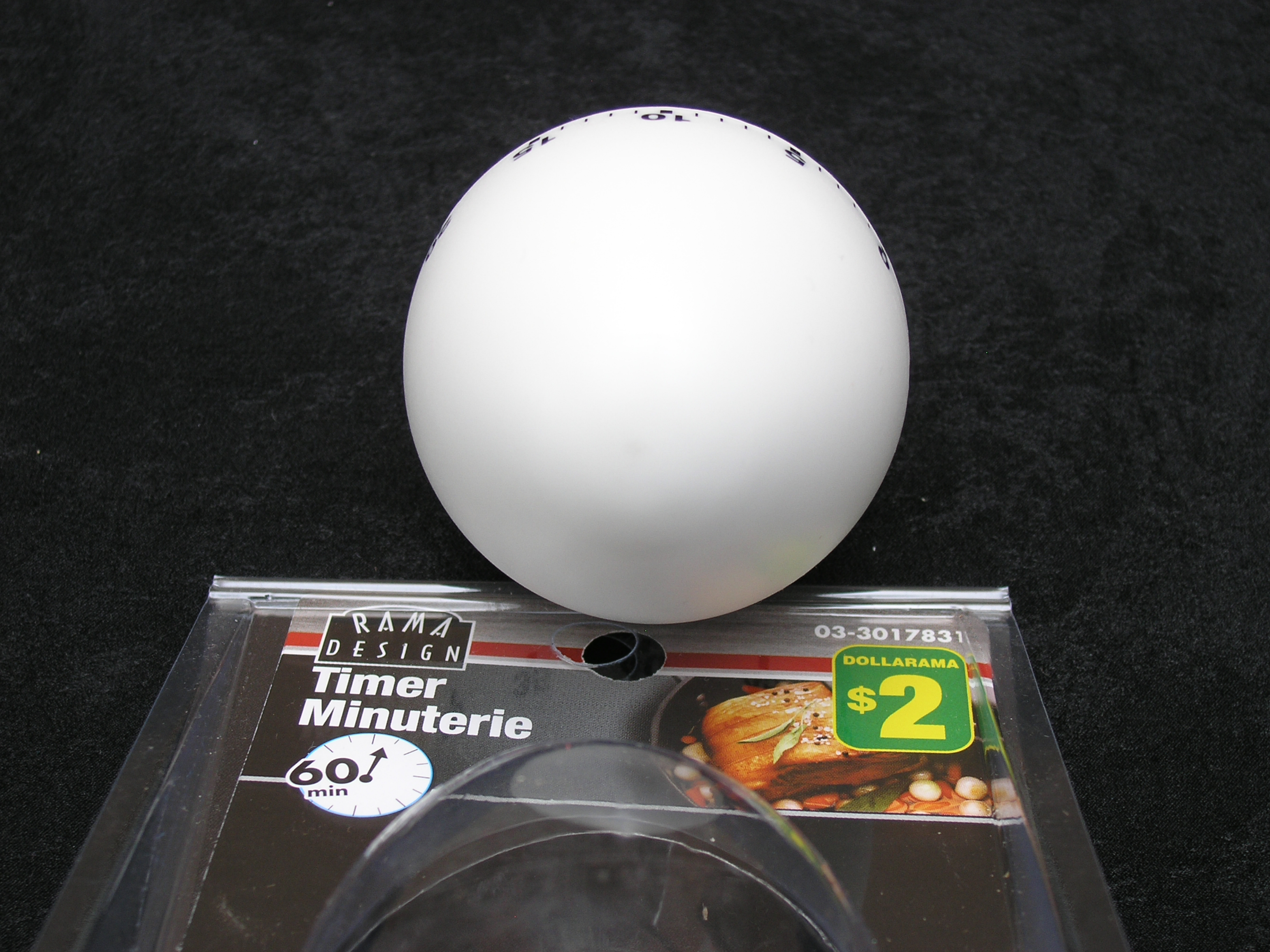
The picture below shows you the top of the egg-timer, which is where you will be making a mark (using your permanent marker) to drill out a hole large enough to accommodate the tripod-mount screw head. In order to drill the hole, I started out with the needle-point drill bit (metal), and then moved on to the grinding-stone bit. I ended up (enlarging the hole) with the cylindrical-shaped metal bit.

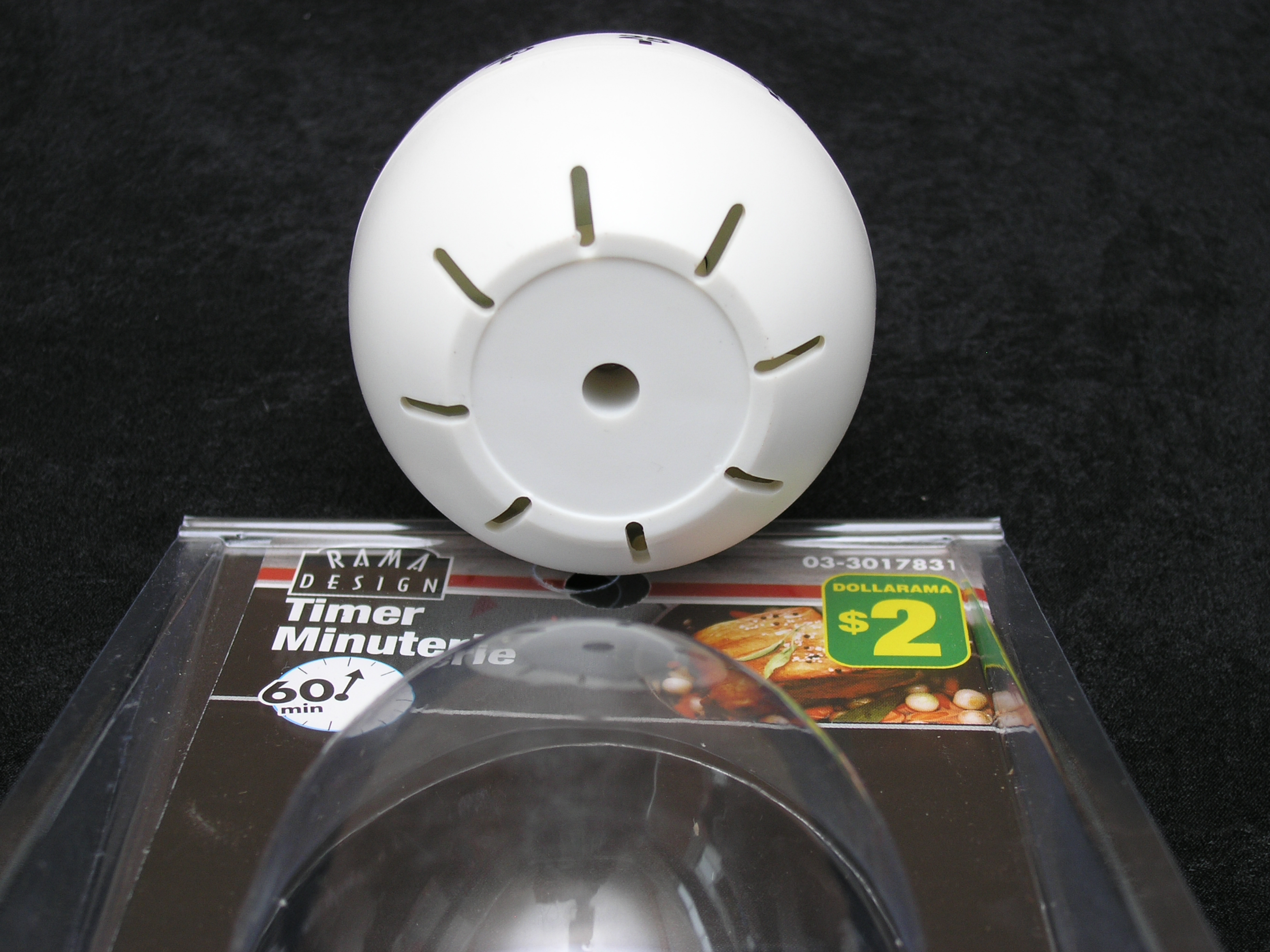
If you look towards the bottom of the egg-timer (as shown in the picture below) you will notice an existing hole (which houses a screw that holds the two halves of the egg-timer together).

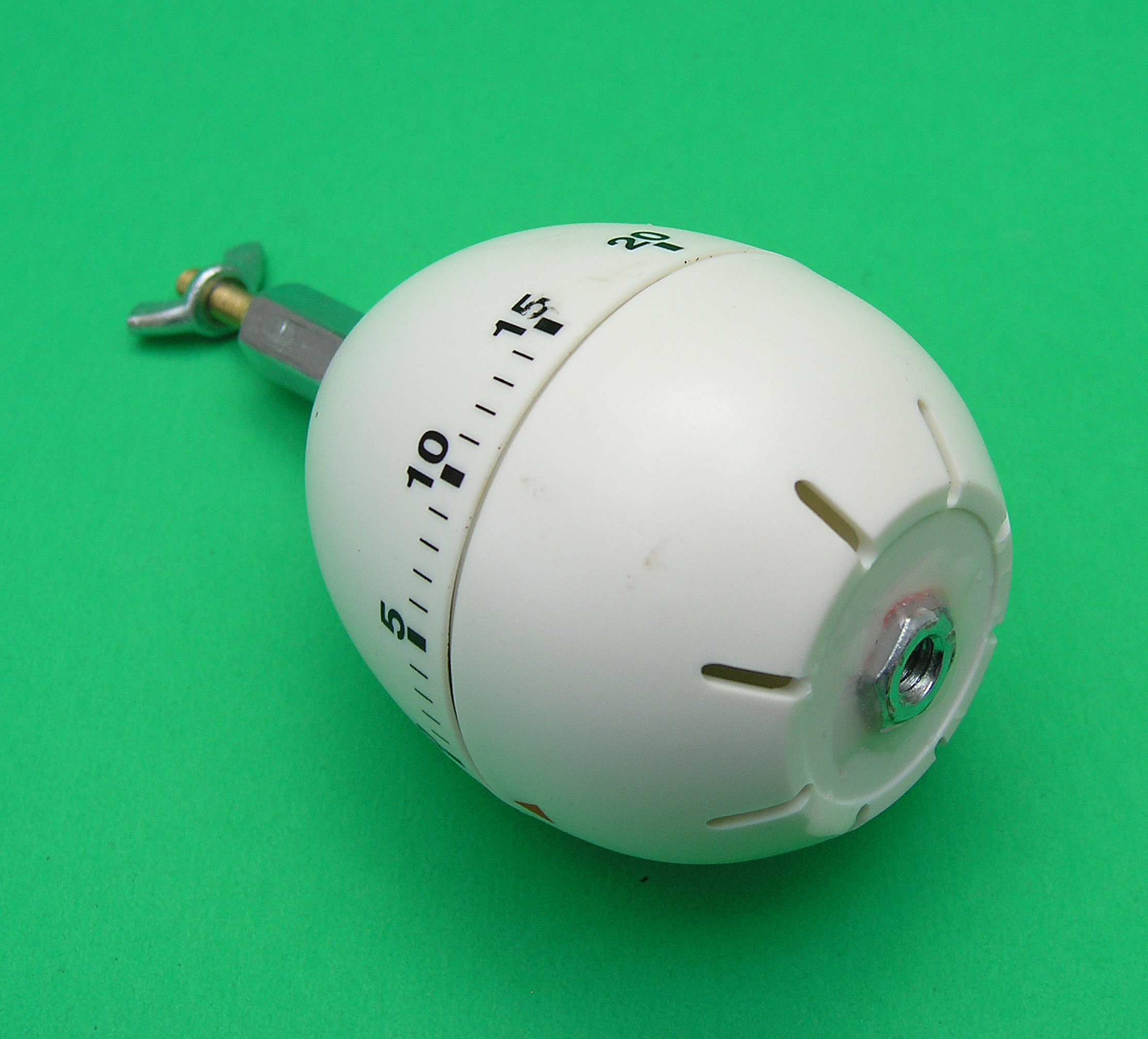
The idea now is to widen (and shape) the bottom hole so that it will accommodate the tripod-mount bolt (as shown below). To achieve this, I started out with the grinding-stone bit, and then moved on to the cylinder-shaped metal bit to further enlarge and shape the hole.

Once the top and bottom holes are shaped and enlarged enough to accommodate the bolt and nut respectively, you may proceed to prepare your epoxy (if using Araldite, or something similar) by mixing equal parts of the two compounds. Apply the well-mixed epoxy to both surfaces and hold tightly in place for a minute or so. Ensure that the nut and bolt are as placed as straight and level as possible, before the glue starts to harden and dry. Resist the temptation and wait at least 24 hours before trying to use the timer for its intended purpose.

Once dry, you should be able to a) mount a small camera on the mounting-screw, and b) mount the timer on a tripod (as shown in the next two pictures below).

Here’s an example of a panoramic picture that I clicked using my Samsung Galaxy S II X mounted on this egg-timer:

Have you attempted this project yourself?

If yes, please share your experiences/comments/suggestions.

March 2026
M T W T F S S
 1
2345678
9101112131415
16171819202122
23242526272829
3031  
« Nov    

Pages

  • Prices and Order Information
  • Photo Gallery
  • Products
    • Line 2CRM Line Preamplifier
    • Phono 3C Phono Preamplifier
    • Super Stealth+ Monobloc Power Amplifier
  • Reviews
  • Contact

Archives

  • Home
  • Prices and Order Information
  • Photo Gallery
  • Products
  • Reviews
  • Contact
  • User Manuals
  • Customer Feedback
Phone Icon

905-903-4565

e-Mail Icon
info@SynergyIntegration.com

Copyright © 2026 Synergy Integration. All rights reserved.

Website developed by Synergy Web Developers (a division of Synergy Integration)